
Kia Stinger CK: Rear Suspension System / Rear Shock Absorber
Components and components location
| Components |
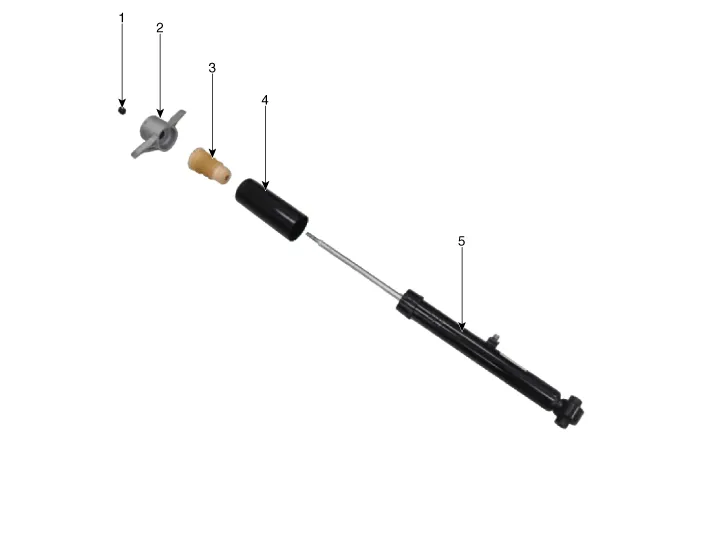
| 1. Lock nut 2. Rear insulator 3. Bumper stopper |
4. Dust cover 5. Shock absorber |
Repair procedures
| Removal |
| 1. |
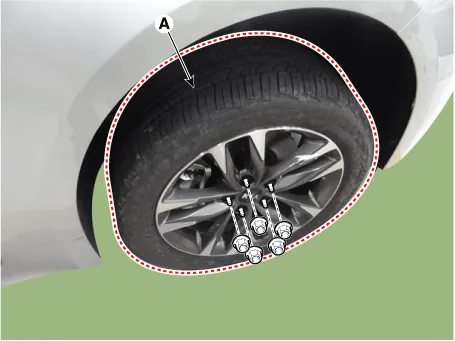
Remove wheel nuts, rear wheel and tire (A) from hub.
|

| 2. |
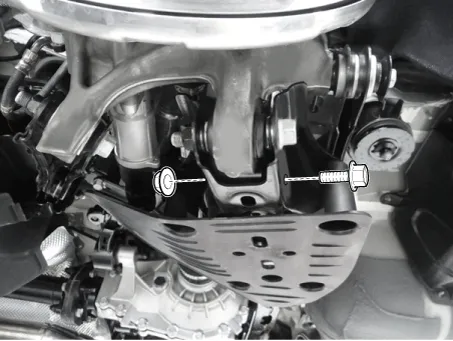
Loosen the rear shock absorber bolt & nut.
|
| 3. |
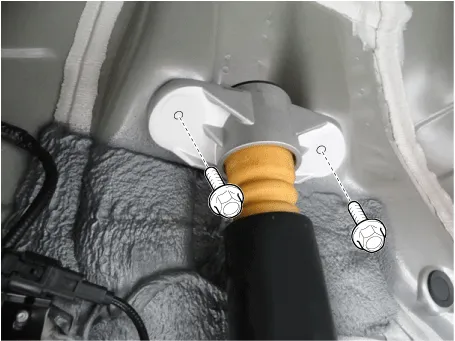
Loosen the rear shock absorber upper bolts and the remove the rear shock absorber.
|
| 4. |
Install in the reverse order of removal.
|
| Disassembly |
| 1. |
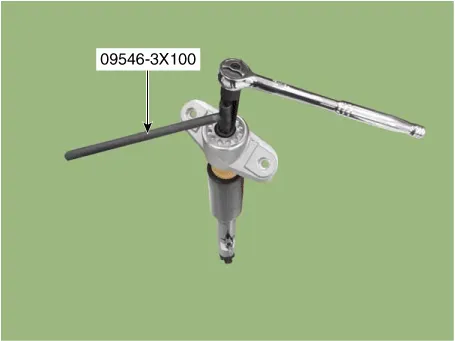
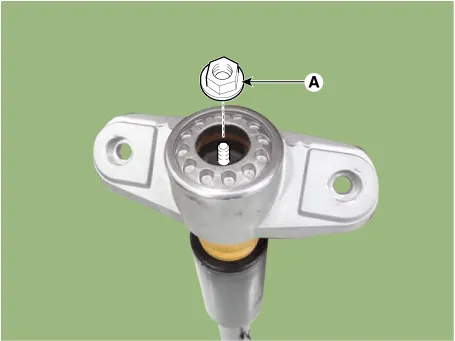
Using SST (09546-3X100), loosen the shock absorber lock nut (A).
|
| 2. |
Install in the reverse order of removal. |
| Inspection |
| 1. |
Check the rubber parts for wear and deterioration. |
| 2. |
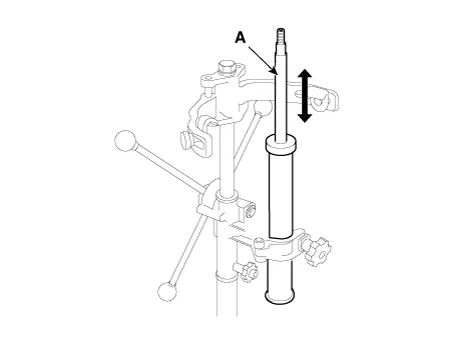
Compress and extend the piston rod (A) and check that there is no abnormal resistance or unusual sound during operation.
|
Disposal
| 1. |
Fully extend the piston rod. |
| 2. |
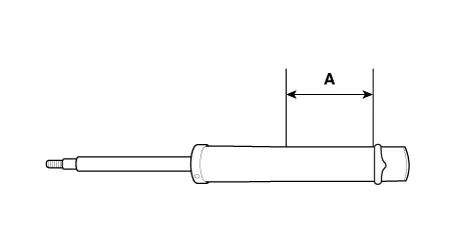
Drill a hole on the (A) section to remove gas from the cylinder.
|


Other information:
Average Fuel Economy (1) The average fuel economy is calculated by the total driving distance and fuel consumption since the last average fuel economy reset. - Fuel economy range: 0.0 ~ 99.9 L/100km or MPG The average fuel economy can be reset both manually and automatically. ✽ NOTICE The fuel economy may vary significantly based on driving conditions, driving habits, and condition of the vehicle.Opening the hood 1. Pull the release lever to unlatch the hood. The hood should pop open slightly. Only open the hood with the vehicle on a flat surface, engine is turned off, shift lever placed in P (Park) position and setting the parking brake. 2. Go to the front of the vehicle, raise the hood slightly, push the secondary latch (1) left side of the hood center and lift the hood (2).Categories
- Manuals Home
- Kia Stinger Owners Manual
- Kia Stinger Service Manual
- New on site
- Most important about car
