
Kia Stinger CK: Driving your vehicle / Driver Attention Warning (DAW)
Kia Stinger (CK) 2018-2023 Owner's Manual / Driving your vehicle / Driver Attention Warning (DAW)
Contents:
The Driver Attention Warning (DAW) system is designed to warn the driver of potentially hazardous driving situations if it detects inattentive driving practices.
System setting and activation ➤
Resetting the system, System disabled
Resetting the system
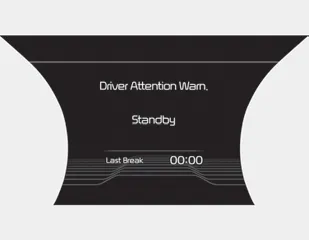
- The last break time is set to 00:00 and the driver's attention level is set to 5 (very attentive) when the driver resets the Driver Attention Warning system.
- The driver attention warning system resets in the following situations.
- The engine is turned OFF.
- The driver unfastens the seat belt and then opens the driver’s door.
- The driver takes a break from driving that lasts more than 10 minutes. - The driver attention warning system operates again, when the driver restarts driving.
System disabled
The Driver Attention Warning system enters the ready status and displays the 'Disabled' screen in the following situations.
- The camera sensor is unable to detect the lanes.
- Driving speed remains under 60 km/h (37 mph) or over 180 km/h (112 mph).
System malfunction ➤


Other information:
Kia Stinger (CK) 2018-2023 Owner's Manual: Wireless smart phone charging system
A wireless smart phone charging system is located in front of the center console. Firmly close all doors, and turn the ignition to ACC or IGN ON. To start wireless charging, place the smart phone equipped with wireless charging function on the wireless charging pad. For best wireless charging results, place the smart phone on the center of the charging pad.Kia Stinger (CK) 2018-2023 Owner's Manual: Children Always in the Rear
WARNING - Restraint Location Never install a child or infant seat on the front passenger's seat. A child riding in the front passenger seat can be forcefully struck by an inflating airbag and seriously injured. WARNING - Hot Child Restraint A child restraint system can become very hot if it is left in a closed vehicle on a sunny day. Be sure to check the seat cover, buckles and latches before placing a child in the restraint system.Categories
- Manuals Home
- Kia Stinger Owners Manual
- Kia Stinger Service Manual
- New on site
- Most important about car
Contents

Copyright © 2026 www.kstinger.com 0.0111