
Kia Stinger CK: Features of your vehicle / Instrument cluster
Contents:
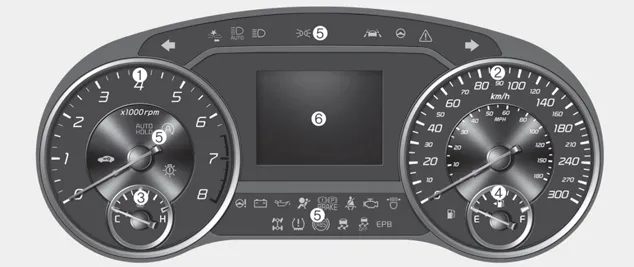
■ Type A

■ Type B
1. Tachometer
2. Speedometer
3. Engine coolant temperature gauge
4. Fuel gauge
5. LCD display
6.Warning and indicator lights
Instrument Cluster Control
Adjusting Instrument Cluster Illumination
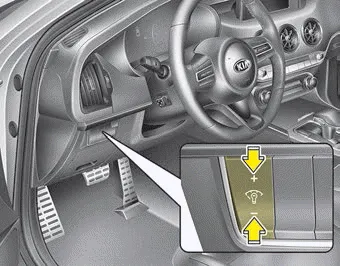
The brightness of the instrument panel illumination is changed by pressing the illumination control button (“+” or “-”) when the Engine Start/Stop button is ON, or the taillights are turned on.
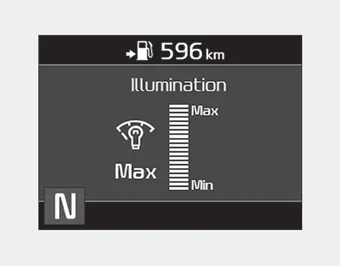
- If you hold the illumination control button (“+” or “-”), the brightness will be changed continuously.
- If the brightness reaches to the maximum or minimum level, an alarm will sound.
LCD Display Control
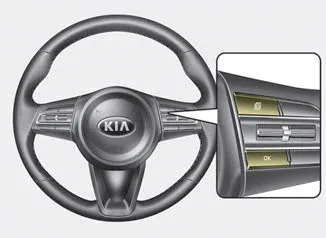
■ Type A
■ Type B
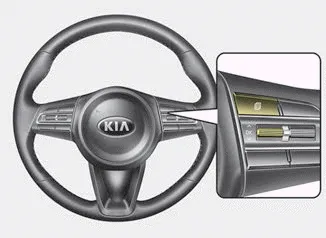
The LCD display modes can be changed by using the control buttons on the steering wheel.
(1)
 : MODE button for changing modes
(2)
 /OK : SELECT scroll switch for setting
the selected item and RESET scroll switch for resetting items
/OK : SELECT scroll switch for setting
the selected item and RESET scroll switch for resetting items
❈ For the LCD modes, refer to “LCD Window” in this chapter.
Gauges ➤
Transaxle Shift Indicator
Automatic Transaxle Shift Indicator
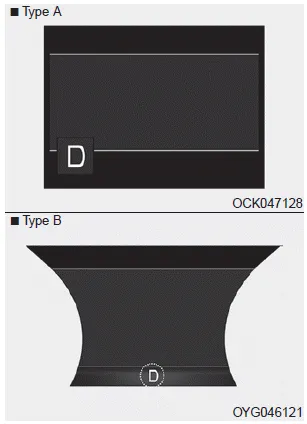
This indicator displays which automatic transaxle shift lever is selected.
- Park :P
- Reverse : R
- Neutral : N
- Drive :D
- Sports Mode : 1, 2, 3, 4, 5, 6, 7, 8


Other information:
Kia Stinger (CK) 2018-2023 Owner's Manual: Smart key precautions
If you lose your smart key, you will not be able to start the engine. Tow the vehicle, if necessary, and contact an authorized Kia dealer. A maximum of 2 smart keys can be registered to a single vehicle. If you lose a smart key, you should immediately take the vehicle and key to your authorized Kia dealer to protect it from potential theft.Kia Stinger (CK) 2018-2023 Owner's Manual: Identification Numbers
General information Identification Numbers Identification Number Description Vehicle Identification Number 1. World Manufacturer Identifier (WMI) - KNA : Passenger vehicle, MPV (Multipurpose Passenger Vehicle)/SUV (Sports Utility Vehicle)/RV (Recreational Vehicle) - KNC : Commercial vehicle (Van) - KND: MPV/SUV/RV (For U.Categories
- Manuals Home
- Kia Stinger Owners Manual
- Kia Stinger Service Manual
- New on site
- Most important about car
Contents
