
Kia Stinger CK: Lane Keeping Assist (LKA) system / LKA system operation
Contents:
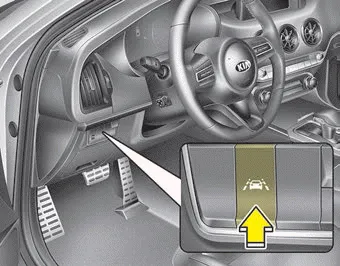
To activate/deactivate the LKA system:
With the ignition switch in the ON position, press the LKA system button located on the instrument panel on the lower left hand side of the driver.
The indicator in the cluster display will initially illuminate white.
When the indicator (white) activated in the previous ignition cycle, the system turns on without any control.
If you press the LKA system button again, the indicator on the cluster display will go off.
The color of indicator will change depend on the condition of LKA system.
- White : Sensor does not detect the lane marker or vehicle speed is less than
64 km/h (40 mph).
- Green : Sensor detects the lane marker and system is able to control the steering.
LKA system activation
- To see the LKA system screen on the LCD display in the cluster, Tab to the
Assist mode (
 ).
). - For further details, refer to "User Setting Mode" in chapter 4.
- After LKA system is activated, if both lane markers are detected, vehicle speed is over 64 km/h (40 mph) and all the activation conditions are satisfied, a green steering wheel indicator will illuminate and the steering wheel will be controlled.
WARNING
The Lane Keeping Assist system is a system to help prevent the driver from leaving the lane. However, the driver should not solely rely on the system but always check the road conditions when driving.
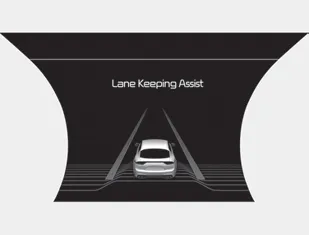
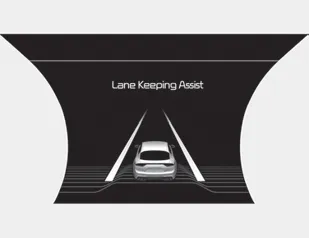
- If the speed of the vehicle is over 64 km/h (40 mph) and the system detects lane markers, the color changes from gray to white.
When the conditions below are met, LKA system will be enabled to assist steering.
- Vehicle speed is above 64 km/h (40 mph).
- Both lane markers are detected by LKA system.
- The vehicle is between the lane markers.
If LKA system can assist steering, a green steering wheel indicator will illuminate.
Warning ➤


Other information:
Kia Stinger (CK) 2018-2023 Owner's Manual: License Lamps
Repair procedures Removal 1. Disconnect the negative (-) battery terminal. 2. Remove the tailgate back panel. (Refer to Body - "Tailgate Back Panel") 3. Disconnect the license lamp connectors (A). 4. Remove the license lamp (A) after pressing the locking pin.Kia Stinger (CK) 2018-2023 Owner's Manual: Rear Driveshaft Assembly
Repair procedures Removal 1. Remove wheel nuts, wheel and tire (A) from hub. Tightening torque: 107.9 - 127.5 N·m (11.0 - 13.0 kgf·m, 79.6 - 94.0 lb·ft) Be careful not to damage the wheel nuts when removing the wheel and tire (A).Categories
- Manuals Home
- Kia Stinger Owners Manual
- Kia Stinger Service Manual
- New on site
- Most important about car
Contents
