
Kia Stinger CK: Smart Key System / Smart Key
Repair procedures
| Smart Key |
Smart Key Code Saving
| 1. |
Connect the DLC cable of KDS to the data link connector (16 pins) in driver side crash pad lower panel, turn the power on KDS.
|

| 2. |
Select the vehicle model and then do "Smart key code saving".
|
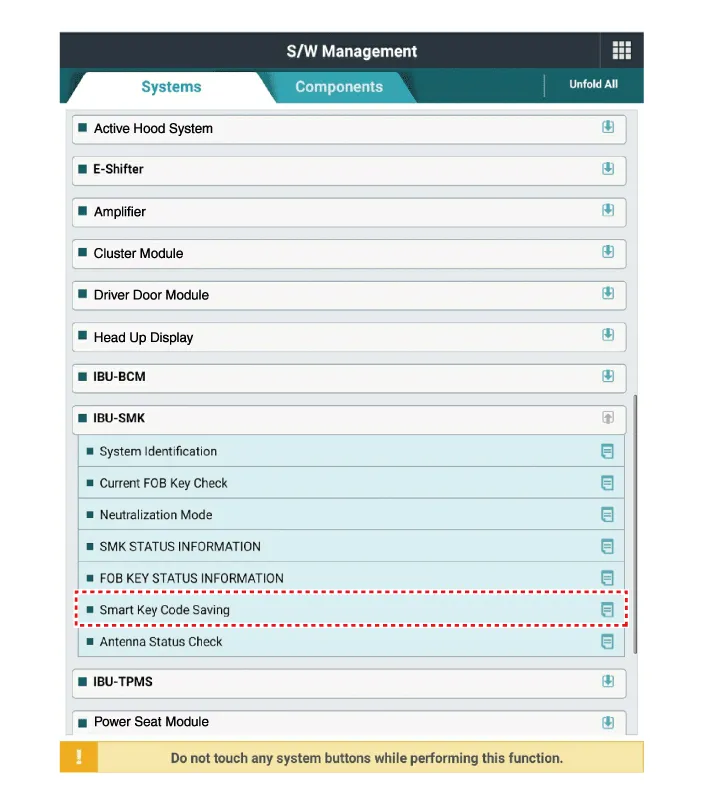
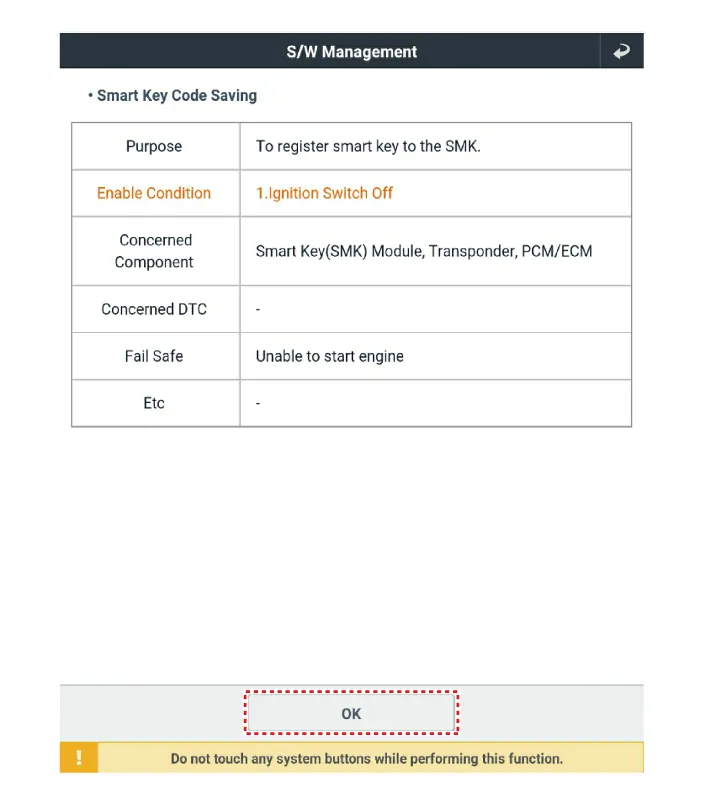
| 3. |
After selecting "Smart key teaching" menu, push "Enter" key, then the screen will be shown as below.
|
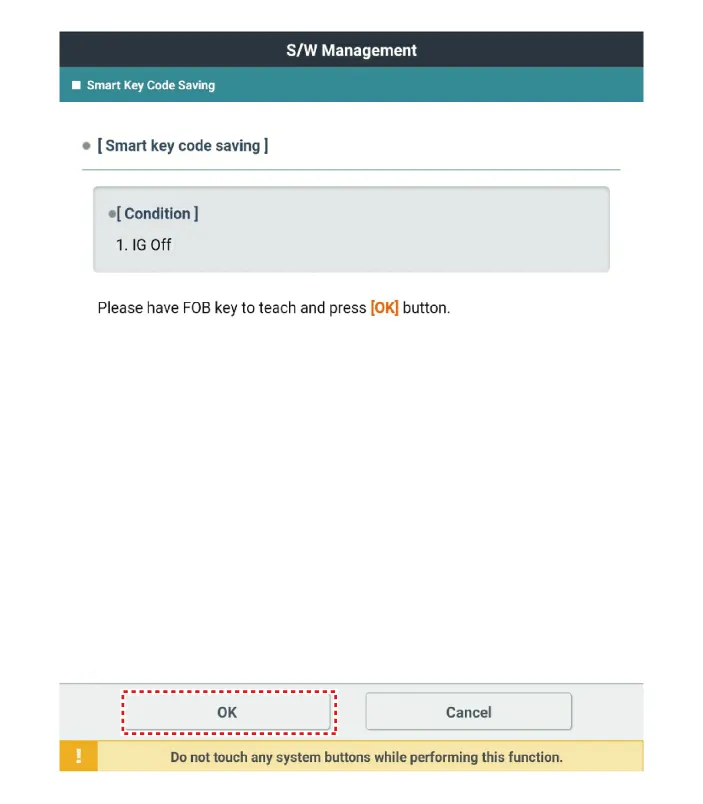
| 4. |
After having the teaching smart key, push "ENTER" key. |
| 5. |
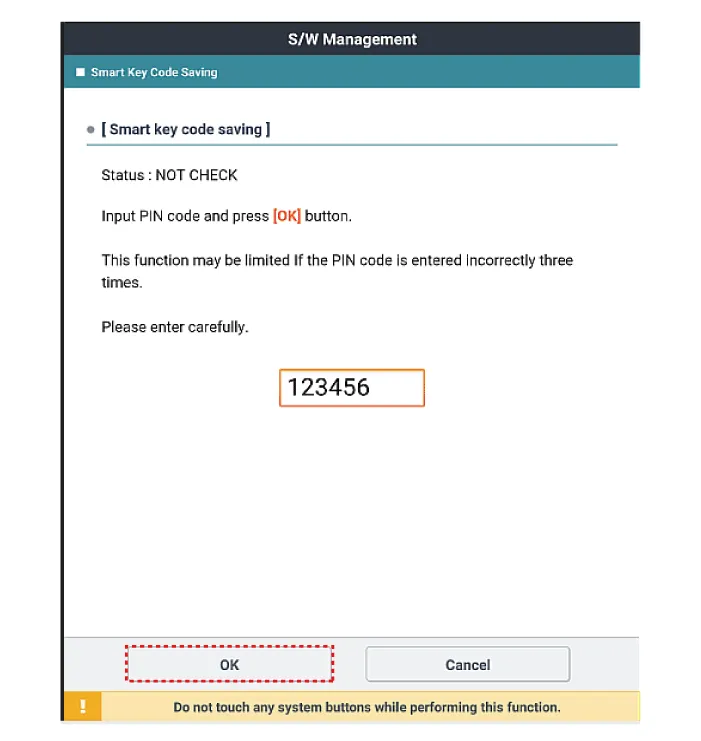
Input the "Pin code" for first key teaching.
|
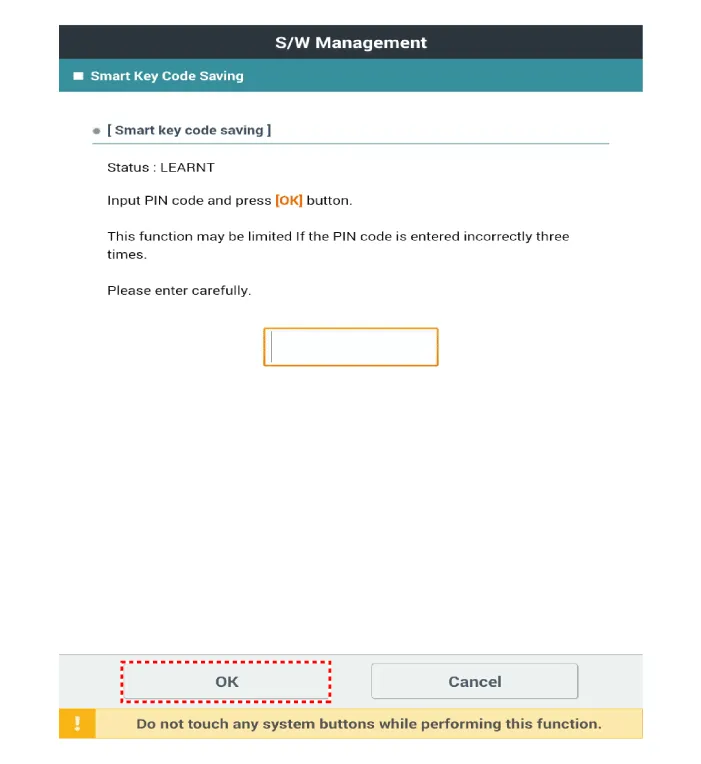

| 6. |
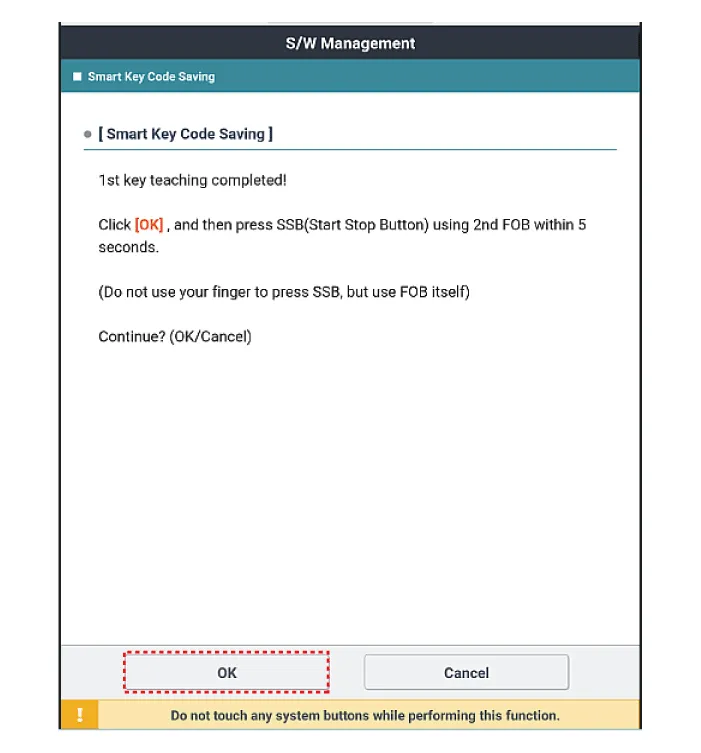
Confirm the message "First key teaching completed".
|
| 7. |
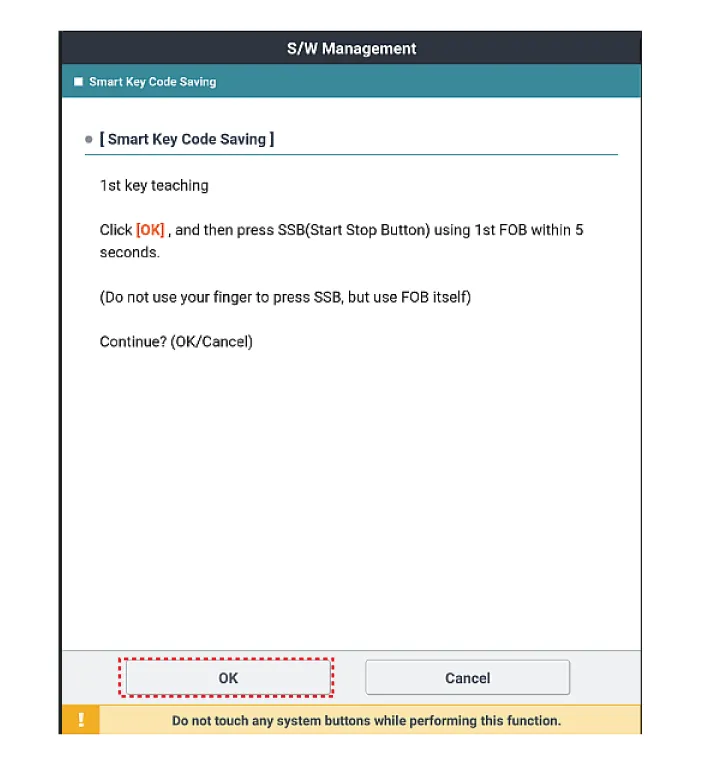
Press the SSB with smart key within 5 sec after pressing "OK".
|
| 8. |
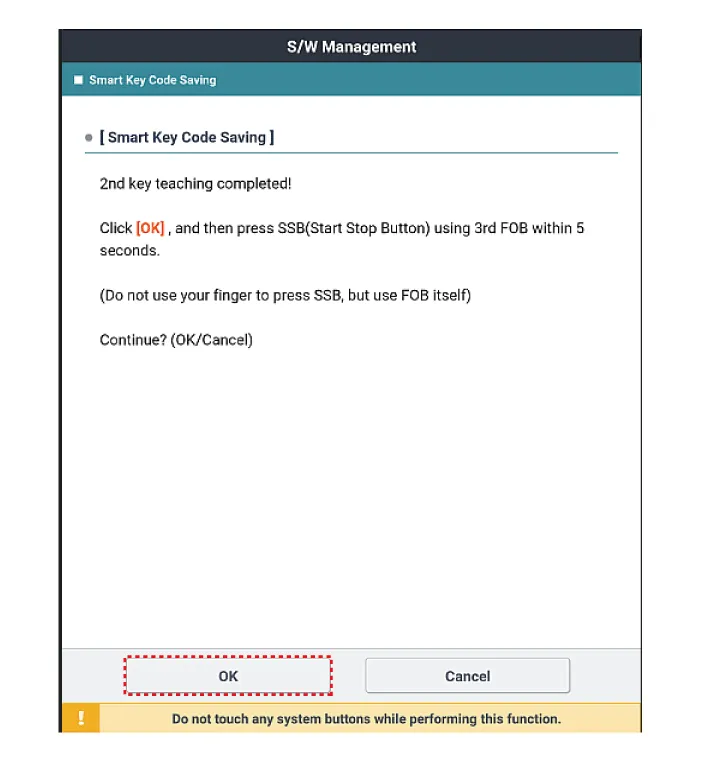
Confirm the message "Second key teaching completed".
|
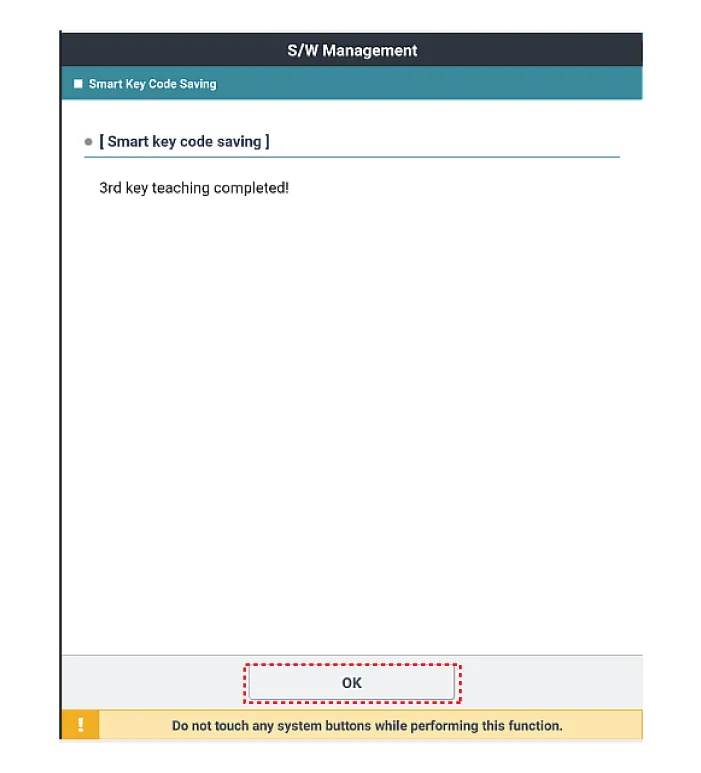
| 9. |
Then the screen will be shown as below when key teaching process is completed.
|


Other information:
Kia Stinger (CK) 2018-2023 Service Manual: Steering Gear Rack, Linkage and Boots
Repair procedures Inspection 1. Check the steering wheel free road. (1) Turn the steering wheel so that the front wheels are facing straight ahead. (2) Measure the distance where the steering wheel can be turned without moving the front wheels.Your vehicle has power-assisted brakes that adjust automatically through normal usage. In the event that the power-assisted brakes lose power because of a stalled engine or some other reason, you can still stop your vehicle by applying greater force to the brake pedal than you normally would. The stopping distance, however, will be longer. When the engine is not running, the reserve brake power is partially depleted each time the brake pedal is applied.Categories
- Manuals Home
- Kia Stinger Owners Manual
- Kia Stinger Service Manual
- New on site
- Most important about car
