
Kia Stinger CK: Features of your vehicle / Instrument cluster
Contents:
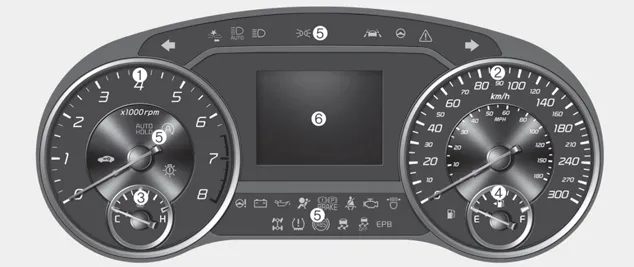
■ Type A

■ Type B
1. Tachometer
2. Speedometer
3. Engine coolant temperature gauge
4. Fuel gauge
5. LCD display
6.Warning and indicator lights
Instrument Cluster Control
Adjusting Instrument Cluster Illumination
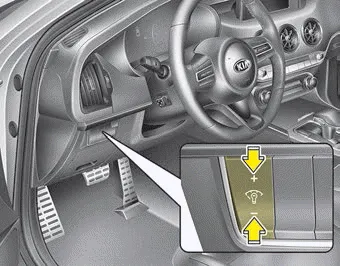
The brightness of the instrument panel illumination is changed by pressing the illumination control button (“+” or “-”) when the Engine Start/Stop button is ON, or the taillights are turned on.
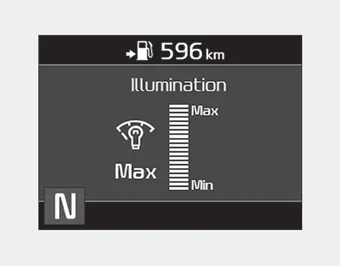
- If you hold the illumination control button (“+” or “-”), the brightness will be changed continuously.
- If the brightness reaches to the maximum or minimum level, an alarm will sound.
LCD Display Control
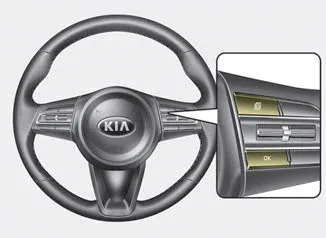
■ Type A
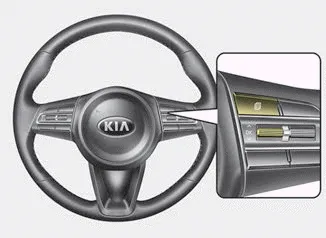
■ Type B
The LCD display modes can be changed by using the control buttons on the steering wheel.
(1)
 : MODE button for changing modes
(2)
 /OK : SELECT scroll switch for setting
the selected item and RESET scroll switch for resetting items
/OK : SELECT scroll switch for setting
the selected item and RESET scroll switch for resetting items
❈ For the LCD modes, refer to “LCD Window” in this chapter.
Gauges ➤
Transaxle Shift Indicator
Automatic Transaxle Shift Indicator
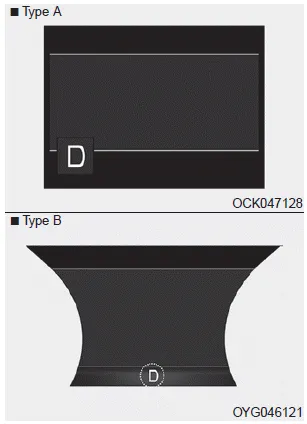
This indicator displays which automatic transaxle shift lever is selected.
- Park :P
- Reverse : R
- Neutral : N
- Drive :D
- Sports Mode : 1, 2, 3, 4, 5, 6, 7, 8


Other information:
Kia Stinger (CK) 2018-2023 Owner's Manual: Front Stabilizer Bar
Repair procedures Removal 1. Remove wheel nuts, front wheel and tire (A) from hub. Tightening torque: 107.9 - 127.5 N·m (11.0 - 13.0 kgf·m, 79.6 - 94.0 lb·ft) Be careful not to damage the wheel bolts when removing the wheel and tire (A).Average Fuel Economy (1) The average fuel economy is calculated by the total driving distance and fuel consumption since the last average fuel economy reset. - Fuel economy range: 0.0 ~ 99.9 L/100km or MPG The average fuel economy can be reset both manually and automatically. ✽ NOTICE The fuel economy may vary significantly based on driving conditions, driving habits, and condition of the vehicle.Categories
- Manuals Home
- Kia Stinger Owners Manual
- Kia Stinger Service Manual
- New on site
- Most important about car
Contents
