
Kia Stinger CK: Wireless Power Charger (WPC) System / Wireless Power Charging (WPC) Unit
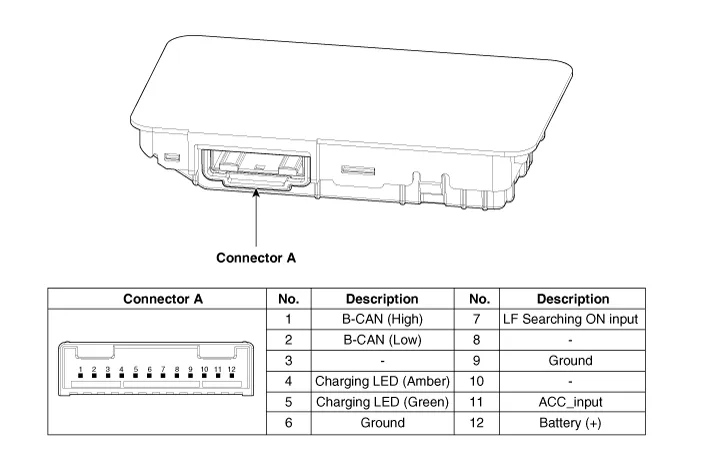
Components and positions
| Components |
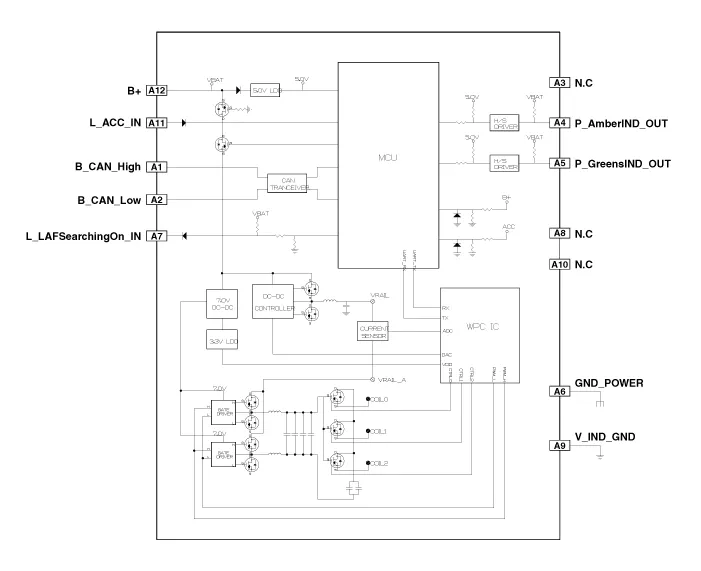
Circuit diagram
| Circuit Diagram |
Repair procedures
| Removal |
|

|

| 1. |
Disconnect the negative (-) battery terminal. |
| 2. |
Remove the console complete assembly. (Refer to Body - "Floor Console Assembly") |
| 3. |
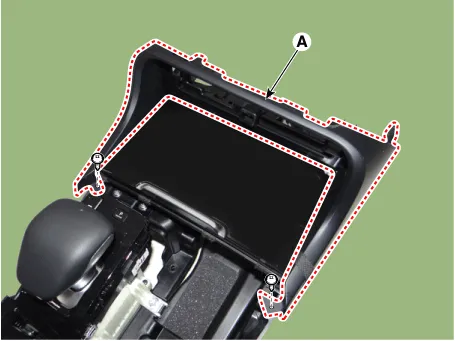
Remove the front cover (A) after loosening the mounting screws.
|
| 4. |
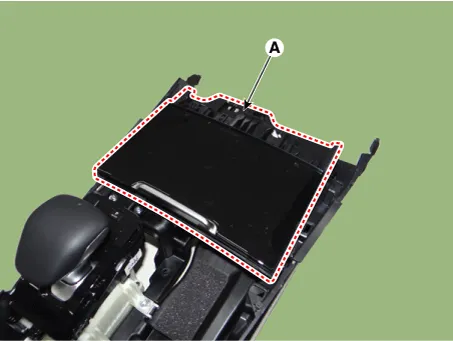
Remove the floor console tray (A) by using a remover.
|
| 5. |
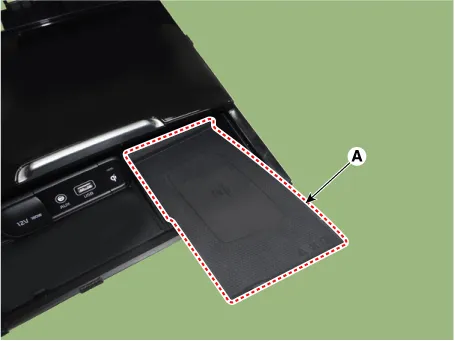
Remove the wireless charging pad (A).
|
| 6. |
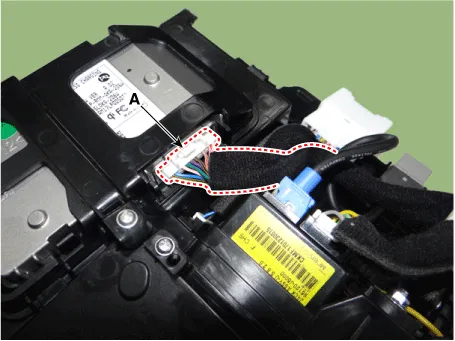
Disconnect the wireless power charging unit connector (A).
|
| 7. |
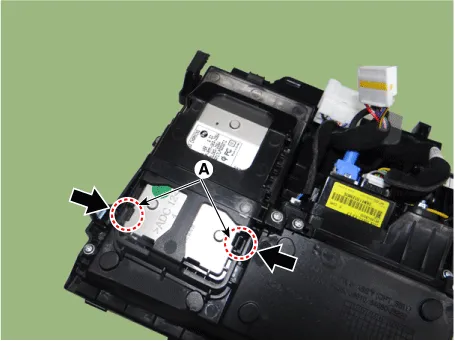
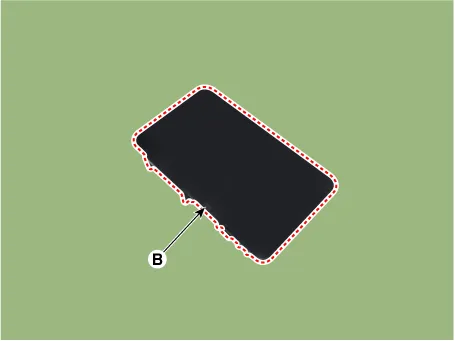
Remove the wireless power charging unit (B) by pressing the fixing hooks (A).
|
| Installation |
| 1. |
Install the wireless power charging unit. |
| 2. |
Connect the wireless power charging unit connector. |
| 3. |
Install the wireless charging pad. |
| 4. |
Install the floor console tray. |
| 5. |
Install the front cover. |
| 6. |
Install the console complete assembly. |
| 7. |
Connect the negative (-) battery terminal. |
| [Diagnosis With KDS] |
| 1. |
The body electrical system can be more quickly diagnosed for troubles by using the vehicle diagnostic system (KDS). KDS provides the following information.
|
| 2. |
To diagnose the vehicle by using the diagnostic equipment, select "vehicle model" and "wireless power charger system" to be inspected. |
| 3. |
To inquire the current status of input/output values, select the "Sensor Data" menu The input/output values of the sensors corresponding to the selected module can be checked. |
| 4. |
To perform forced operation of the selected module input, select "Actuation Test". |
| 5. |
To inquire the cause of trouble for each module by self diagnosis, select 'Diagnostic Trouble Code'. |


Other information:
Repair procedures Operation and Leakage Check Check all of the following items: Component Procedure Brake Booster (A) Check brake operation by applying the brakes during a test drive. If the brakes do not work properly, check the brake booster. Replace the brake booster as an assembly if it does not work properly or if there are signs of leakage.Blade inspection Commercial hot waxes applied by automatic car washes have been known to make the windshield difficult to clean. Contamination of either the windshield or the wiper blades with foreign matter can reduce the effectiveness of the windshield wipers. Common sources of contamination are insects, tree sap, and hot wax treatments used by some commercial car washes.Categories
- Manuals Home
- Kia Stinger Owners Manual
- Kia Stinger Service Manual
- New on site
- Most important about car
