
Kia Stinger CK: Wireless Power Charger (WPC) System / Wireless Power Charging (WPC) Lamp
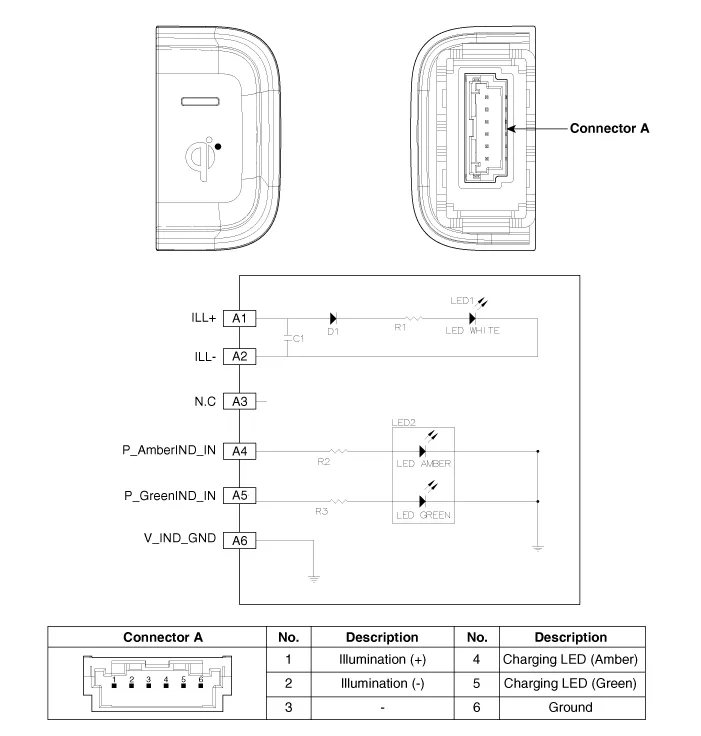
Components and positions
| Components |
Repair procedures
| Removal |
|

|

| 1. |
Disconnect the negative (-) battery terminal. |
| 2. |
Remove the console complete assembly. (Refer to Body - "Floor Console Assembly") |
| 3. |
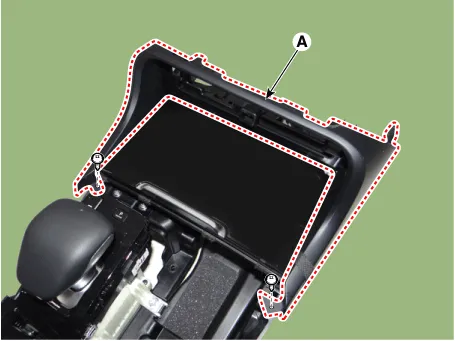
Remove the front cover (A) after loosening the mounting screws.
|
| 4. |
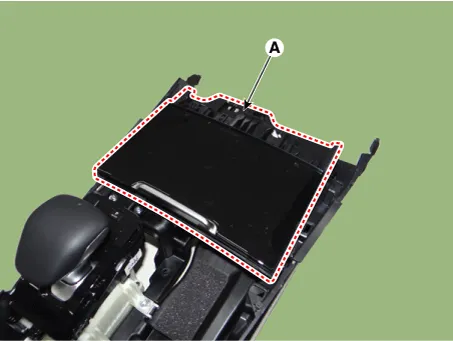
Remove the floor console tray (A) by using a remover.
|
| 5. |
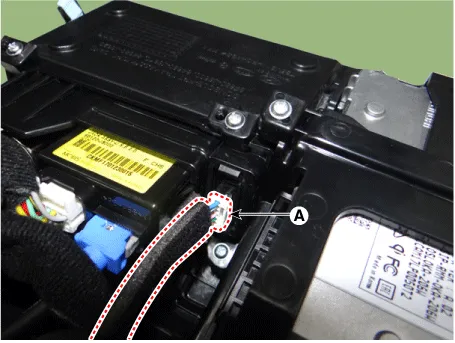
Disconnect the wireless power charging lamp connector (A).
|
| 6. |
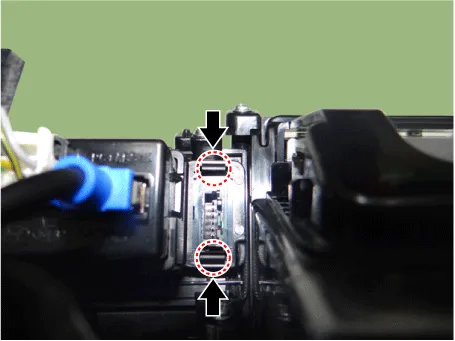
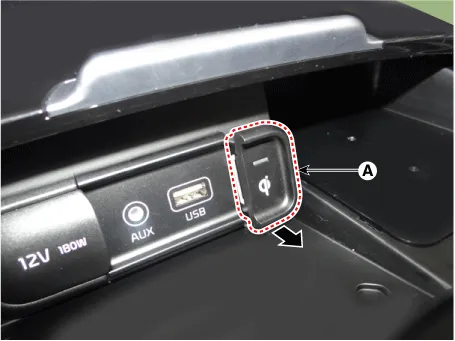
Remove the wireless power charging lamp (A) by pressing the fixing hooks.
|
| Installation |
| 1. |
Install the wireless power charging lamp. |
| 2. |
Connect the wireless power charging lamp connector. |
| 3. |
Install the floor console tray. |
| 4. |
Install the front cover. |
| 5. |
Install the console complete assembly. |
| 6. |
Connect the negative (-) battery terminal. |


Other information:
Kia Stinger (CK) 2018-2023 Service Manual: Engine Mounting
Components and components location Components 1. Engine mounting support bracket (LH) 2. Engine mounting support bracket (RH) 3. Engine mounting bracket (LH) 4. Engine mounting bracket (RH) 5. Transmission mounting bracket (AWD) 6. Transmission mounting bracket (2WD) Repair procedures Removal and Installation Engine Mounting Bracket 1.Kia Stinger (CK) 2018-2023 Service Manual: Fuel Delivery System
Components and components location Components Location Fuel Tank & Filler-Neck Assembly 1. Fuel Tank 2. Low Pressure Fuel Pump 3. Sub Fuel Sender 4. Fuel Filler Hose 5. Leveling Hose 6. Ventilation Hose 7. Filler-Neck Assembly 8. Fuel Pump Plate Cover Low Pressure Fuel Pump 1.Categories
- Manuals Home
- Kia Stinger Owners Manual
- Kia Stinger Service Manual
- New on site
- Most important about car
