
Kia Stinger CK: Rear Bumper / Rear Bumper Assembly
Components and components location
| Component Location |
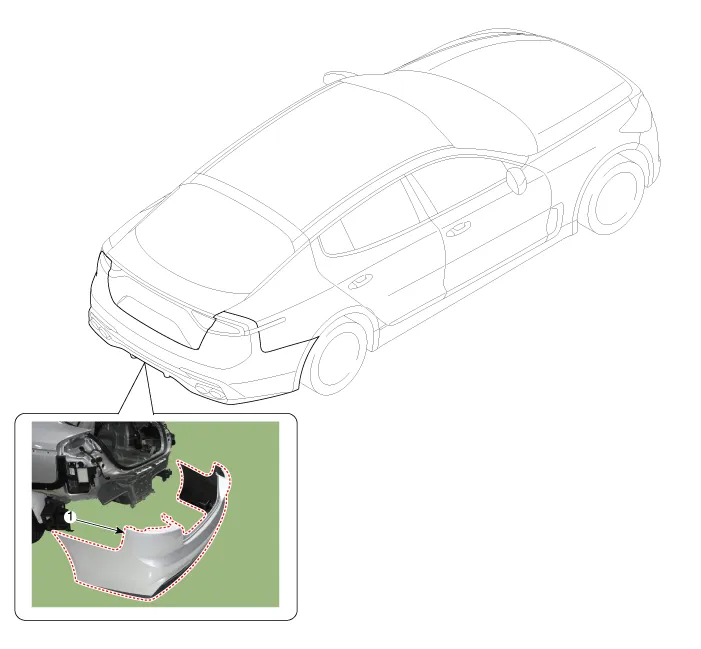
| 1. Rear bumper cover |
Repair procedures
| Replacement |
Put on gloves to protect your hands. |

|

| 1. |
Remove the rear seat assembly. (Refer to Rear Seat - "Rear Seat Assembly") |
| 2. |
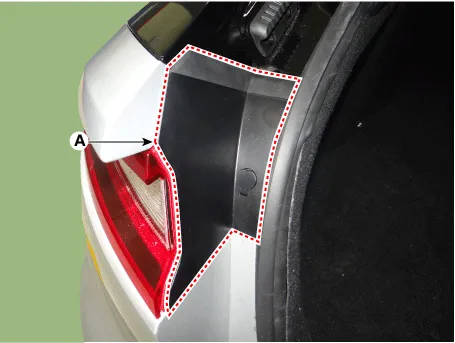
Remove the rear combination lamp cover (A).
|
| 3. |
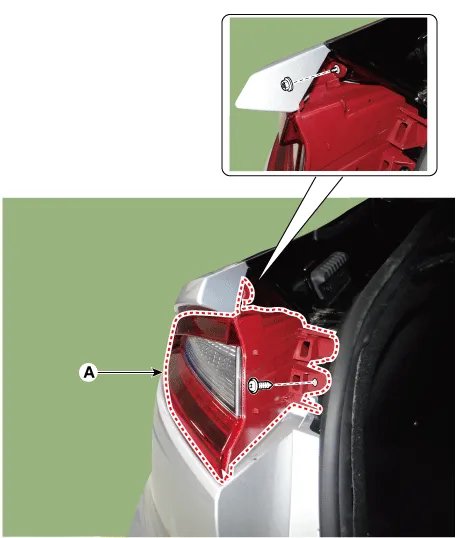
Remove the rear combination lamp (A) after loosening the mounting nut and screw.
|
| 4. |
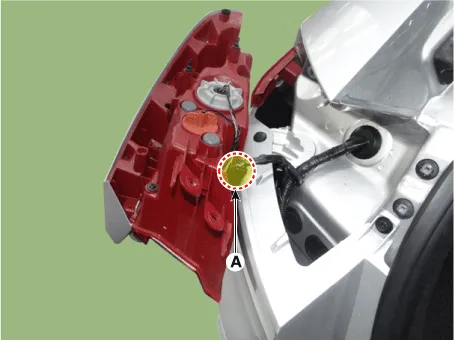
Disconnect the rear combination lamp connector (A).
|
| 5. |
Remove the rear combination lamp deflector (A).
|
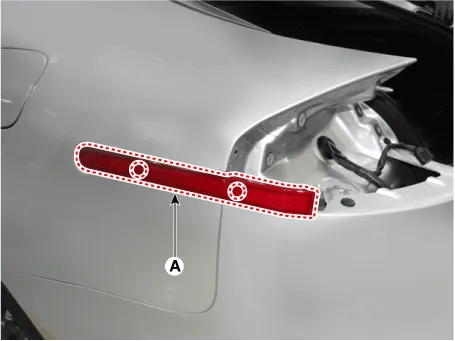
| 6. |
Loosen the rear bumper upper mounting fastener and screw.
|
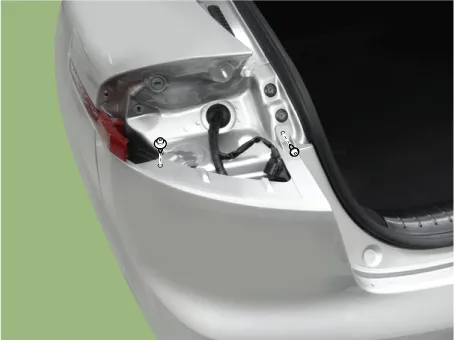
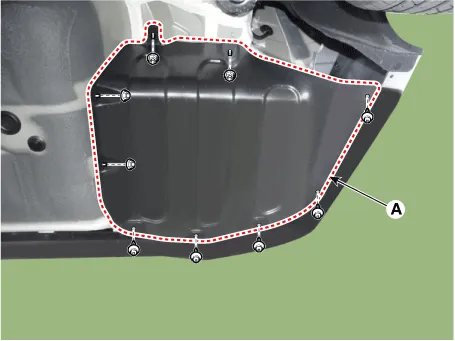
| 7. |
Remove the rear bumper side under cover (A) after loosening the mounting nuts and clips.
|
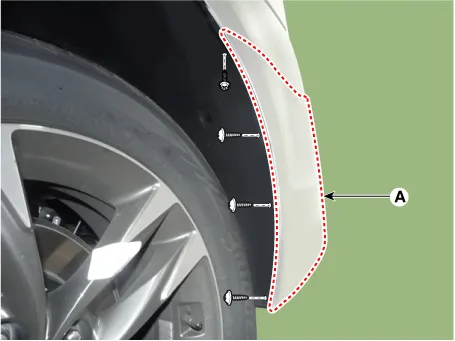
| 8. |
Separate the bumper (A) side after loosening the mounting screws and clip.
|
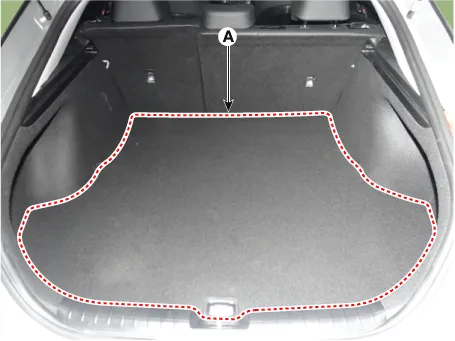
| 9. |
Remove the luggage covering mat(A).
|
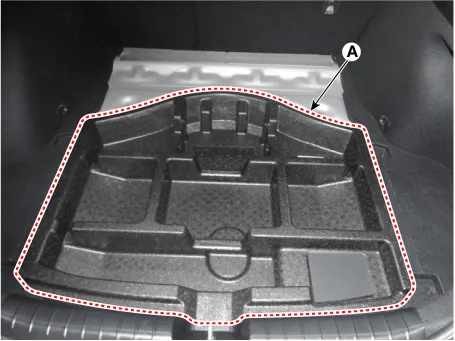
| 10. |
Remove the center tray (A).
|
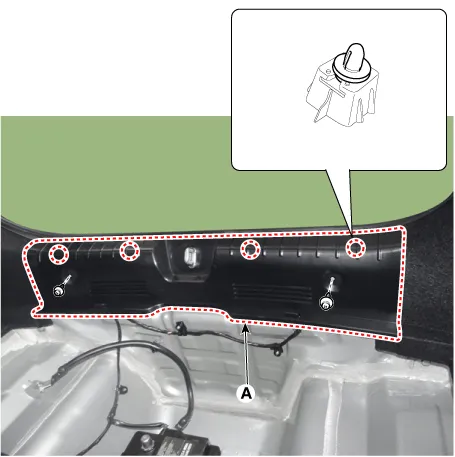
| 11. |
Remove the rear transverse trim (A).
|
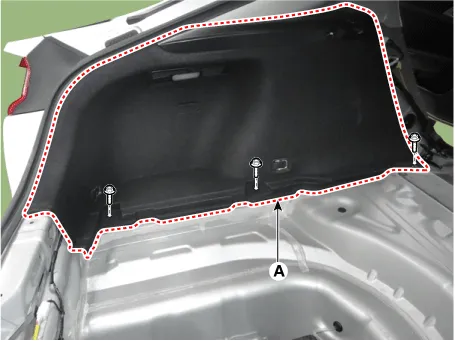
| 12. |
Separate the luggage side trim (A) after loosening the mounting screws.
|
| 13. |
Remove the luggage side trim after disconnecting the luggage lamp connector (A).
|
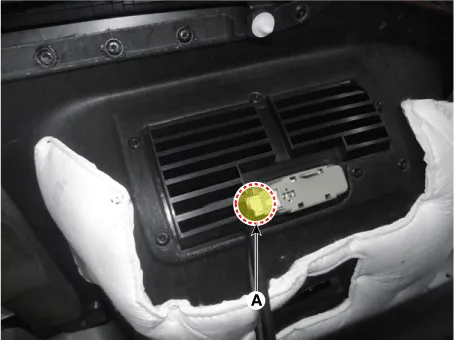
| 14. |
Loosen the rear bumper beam mounting bolts. [LH]
[RH]
|
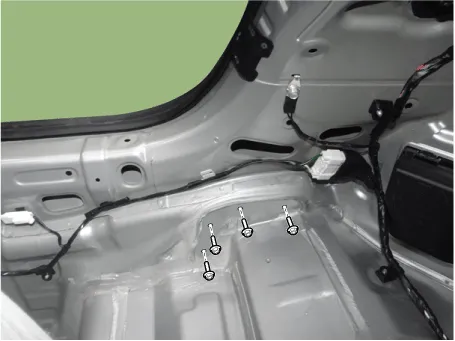
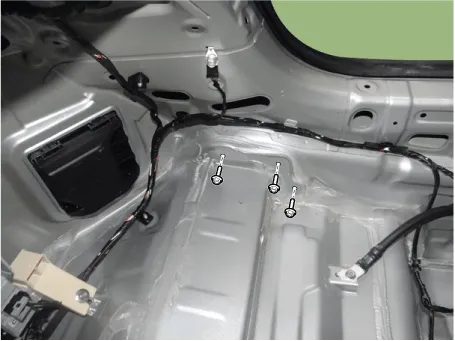
| 15. |
Disconnect the rear bumper main connector (A).
|
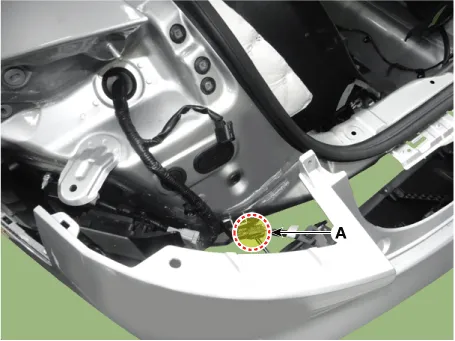
| 16. |
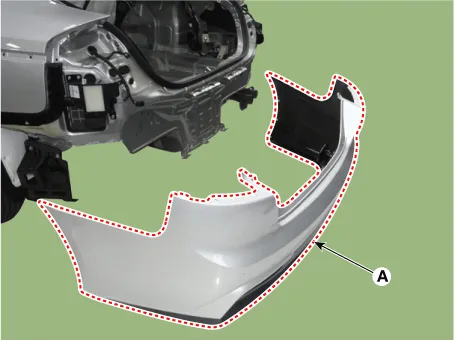
Remove the rear bumper cover (A).
|
| 17. |
Install in the reverse order of removal.
|


Other information:
Components and components location Component Location 1. Cowl top cover Repair procedures Replacement Put on gloves to protect your hands. • Use a plastic panel removal tool to remove interior trim pieces without marring the surface.General information General The supplemental restraint system (SRS) is designed to supplement the seat belt to help reduce the risk or severity of injury to the driver and passenger by activating and deploying the driver, passenger, side airbag and seat belt pretensioner in certain frontal or side collisions. The SRS (Airbag) consists of: a driver side airbag module with the folded cushion and an inflator unit located at the center of the steering wheel, a passenger side airbag module with the folded cushion assembled with inflator unit located in the passenger side crash pad, side airbag modules with the folded cushion and an inflator unit located in the front seat, and curtain airbag modules with folded cushions and inflator units located inside the headliner.Categories
- Manuals Home
- Kia Stinger Owners Manual
- Kia Stinger Service Manual
- New on site
- Most important about car
