
Kia Stinger CK: Smart Cruise Control (Stop & Go) System / Smart Cruise Control (Stop & Go) (SCC) Switch
Components and components location
| Components |
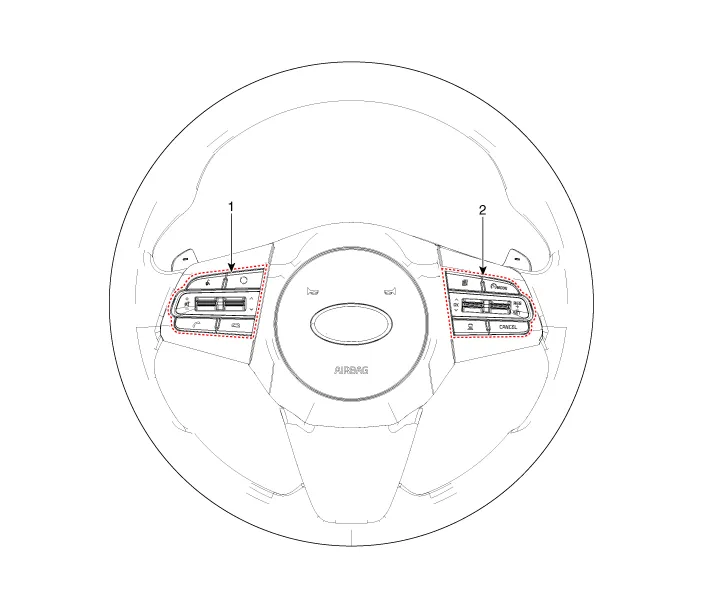
| 1. Left Remote Control Switch
(Audio + Bluetooth + Voice) |
2. Right Remote Control Switch
(Trip Computer + ACC + SCC) |
Schematic diagrams
| Circuit Diagram |
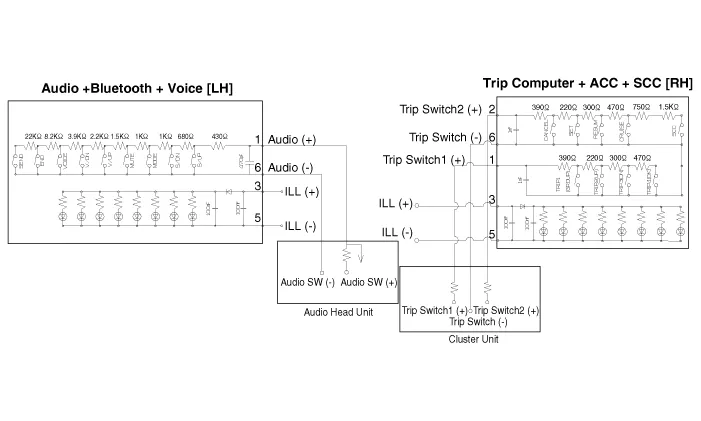
| [Audio + Bluetooth + Voice] |
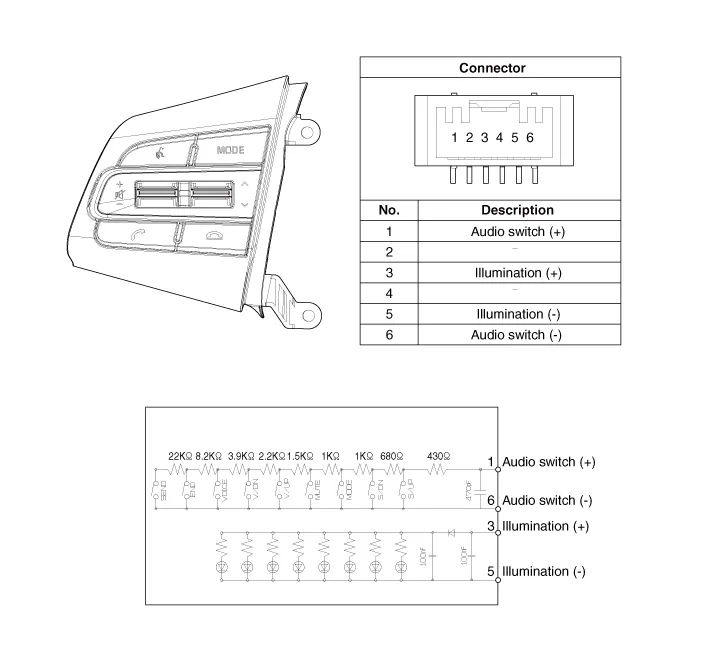
| [Trip + ACC] |

| [Trip + ACC + SCC] |
Repair procedures
| Inspection |
| 1. |
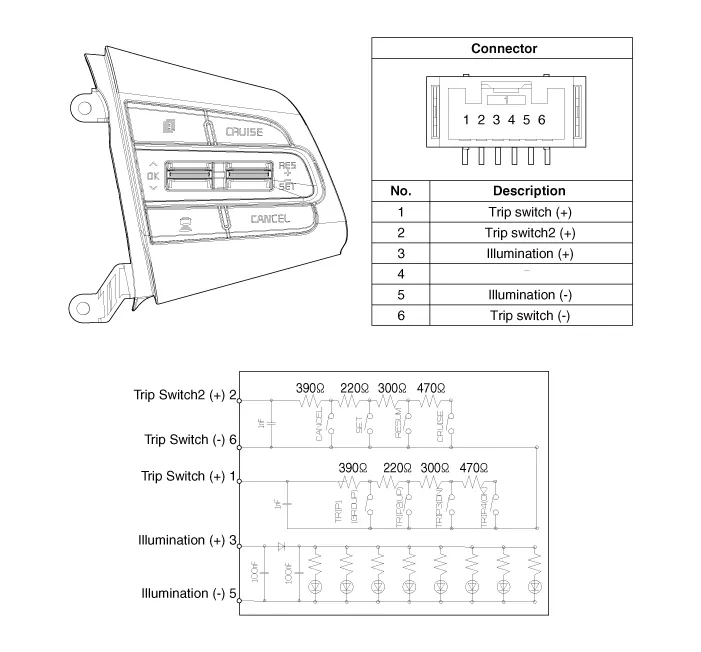
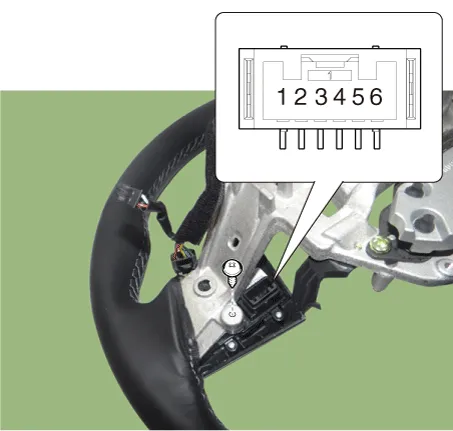
Check for resistance between terminals in each switch position (RH).
[RH : Trip + ACC + SCC]
|
| Removal |
| 1. |
Disconnect the negative (-) battery terminal. |
| 2. |
Remove the steering wheel assembly. (Refer to Steering System - "Steering Wheel") |
| 3. |
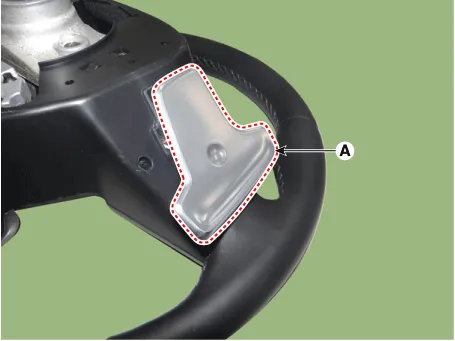
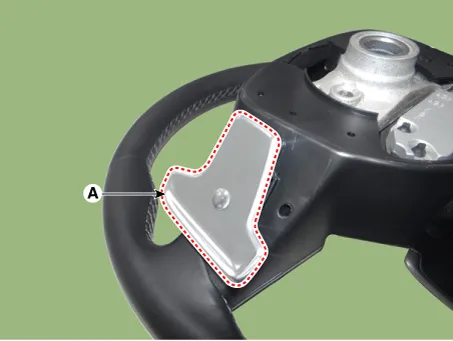
Remove the paddle shift switch (A) after loosening the mounting screws. [LH]
[RH]
|


| 4. |
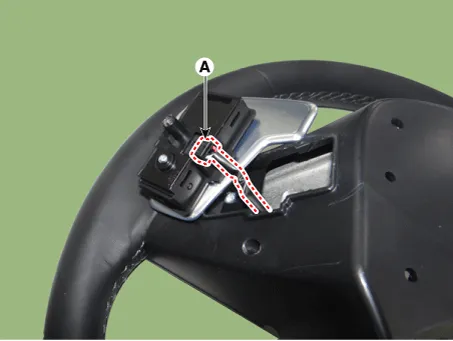
Disconnect the paddle shift switch connector (A). [LH]
[RH]
|

| 5. |
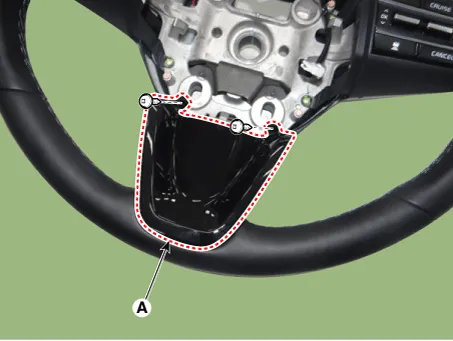
Remove the steering front cover (A) after loosening the mounting screws.
|
| 6. |
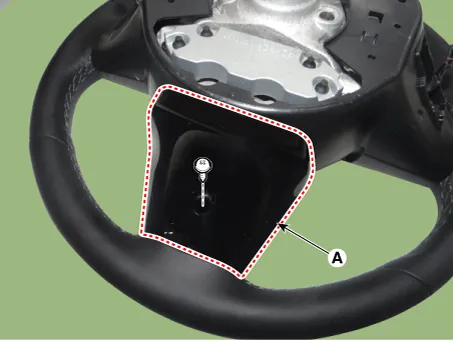
Remove the steering rear cover (A) after loosening the mounting screws.
|
| 7. |
Remove the steering back cover (A) after loosening the mounting screws.
|

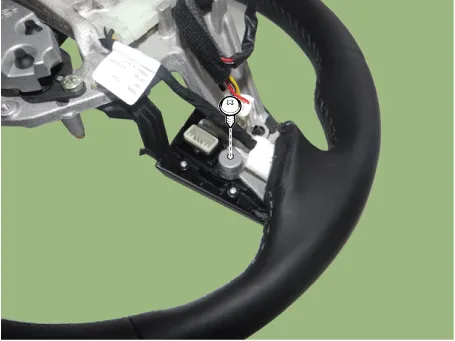
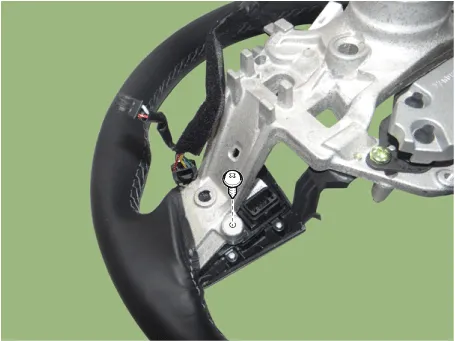
| 8. |
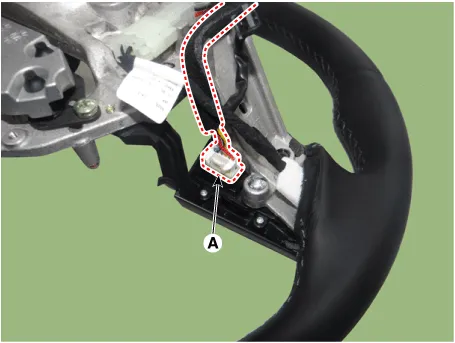
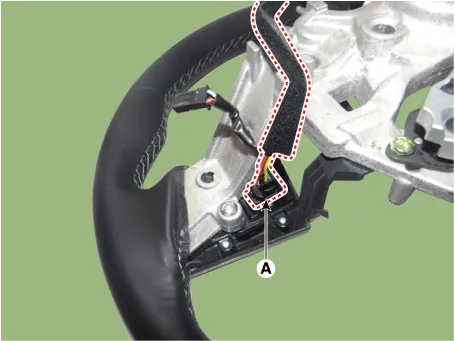
Disconnect the steering wheel remote control connector (A). [LH]
[RH]
|
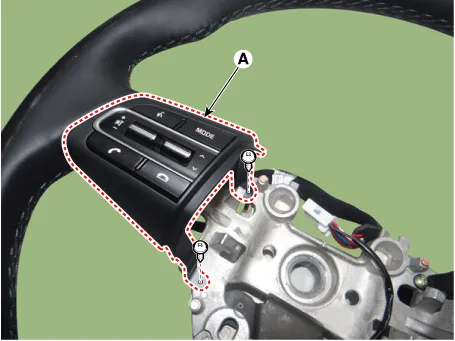
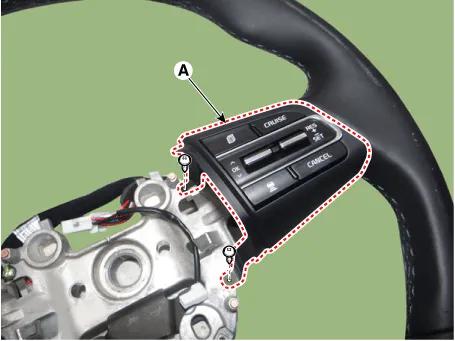
| 9. |
Remove the steering wheel remote control (A) after loosening the mounting screws. [LH]
[RH]
|
| Installation |
| 1. |
Install the steering wheel remote control. |
| 2. |
Connect the steering remote control connector. |
| 3. |
Install the steering back cover. |
| 4. |
Install the steering rear cover. |
| 5. |
Install the steering front cover. |
| 6. |
Connect the paddle shift switch connector. |
| 7. |
Install the paddle shift switch. |
| 8. |
Install the steering wheel assembly. |
| 9. |
Connect the negative (-) battery terminal. |


Other information:
Kia Stinger (CK) 2018-2023 Service Manual: Delivery Pipe
Repair procedures Removal 1. Release the residual pressure in fuel line. (Refer to the Fuel Delivery System - "Release Residual Pressure in Fuel Line") 2. Switch "OFF" the ignition and disconnect the negative (-) battery terminal. 3. Remove the intake manifold.Kia Stinger (CK) 2018-2023 Service Manual: Economical operation
Your vehicle's fuel economy depends mainly on your style of driving, where you drive and when you drive. Each of these factors affects how many kilometers (miles) you can get from a liter (gallon) of fuel.To operate your vehicle as economically as possible, use the following driving suggestions to help save money in both fuel and repairs: Drive smoothly.Categories
- Manuals Home
- Kia Stinger Owners Manual
- Kia Stinger Service Manual
- New on site
- Most important about car
