
Kia Stinger CK: Driver Attention Warning (DAW) / System setting and activation
Kia Stinger (CK) 2018-2023 Owner's Manual / Driving your vehicle / Driver Attention Warning (DAW) / System setting and activation
Contents:
System setting
- The Driver Attention Warning system is set in the OFF position when your vehicle is first delivered to you from the factory.
- To turn ON the Driver Attention Warning system, turn on the engine, and then select 'User Settings → Assist → Driver Attention Warning → Normal/Early' on the LCD display.
- The driver can select the Driver Attention Warning system mode.
- Off : The Driver Attention Warning system is deactivated.
- Normal : The Driver Attention Warning system alerts the driver of his/her fatigue level or inattentive driving practices.
- Early : The Driver Attention Warning system alerts the driver of his/her fatigue level or inattentive driving practices faster than Normal mode. - The set-up of the Driver Attention Warning system will be maintained when the engine is re-started.
Display of the driver's attention level
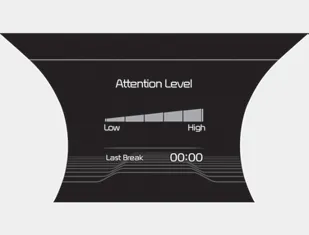
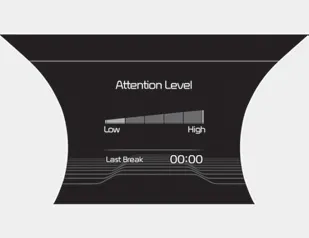
- The driver can monitor their driving conditions on the LCD display.
- Select 'User Settings Mode' and then 'Assist' on the LCD display. (For more information, refer to "LCD Display" in chapter 4.) - The driver's attention level is displayed on the scale of 1 to 5. The lower the number is, the more inattentive the driver is.
- The number decreases when the driver does not take a break for a certain period of time.
- The number increases when the driver attentively drives for a certain period of time.
- When the driver turns on the system while driving, it displays 'Last Break time'.
Take a break
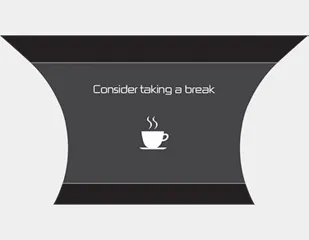
- The "Consider taking a break" message appears on the LCD display and a warning sounds to suggest that the driver take a break when the driver's attention level is below 1.
- The Driver Attention Warning system will not suggest a break when the total driving time is shorter than 10 minutes.


Other information:
Kia Stinger (CK) 2018-2023 Owner's Manual: Hood
Repair procedures Adjustment 1. After loosening the hinge (A) mounting bolt, adjust the hood (B) by moving it up and down, or right and left. 2. Adjust the hood height by turning the hood overslam bumpers (C). 3. After loosening the hood latch (D) mounting bolts, adjust the latch by moving it up and down, or right and left.Kia Stinger (CK) 2018-2023 Owner's Manual: Crankshaft Position Sensor (CKPS)
Specifications Specifications Item Specification Type Magnetic field sensitive Output Voltage (V) 4.75 - 5.25 (25°C) Input Voltage (V) 0.6 - 4.5 Air Cap (mm) 0.5 - 1.5 Description and operation Description Crankshaft Position Sensor (CKPS) detects the crankshaft position and is one of the most important sensors of the engine control system.Categories
- Manuals Home
- Kia Stinger Owners Manual
- Kia Stinger Service Manual
- New on site
- Most important about car
Contents

Copyright © 2026 www.kstinger.com 0.0098