
Kia Stinger CK: Audio / Antenna
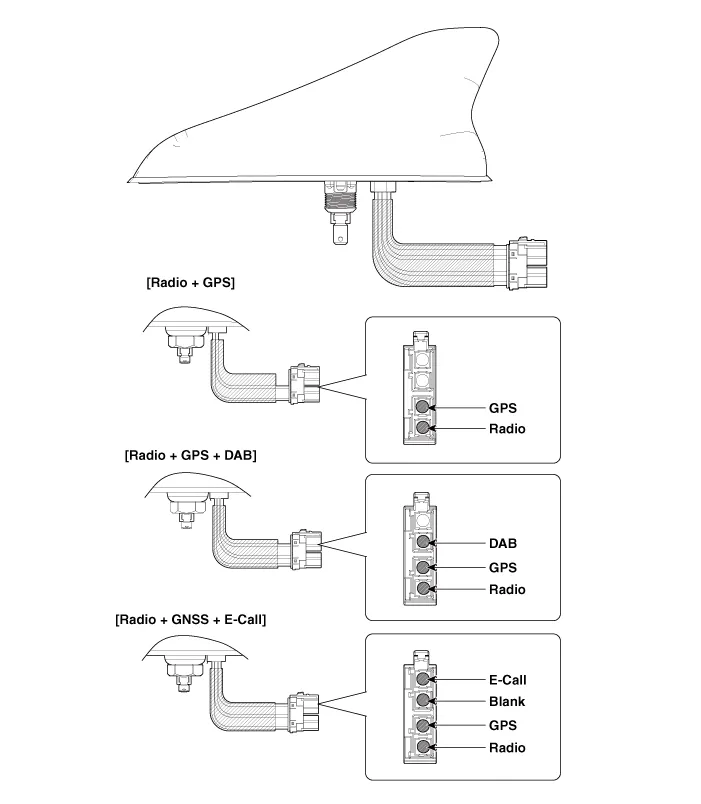
Components and components location
| Components |
Schematic diagrams
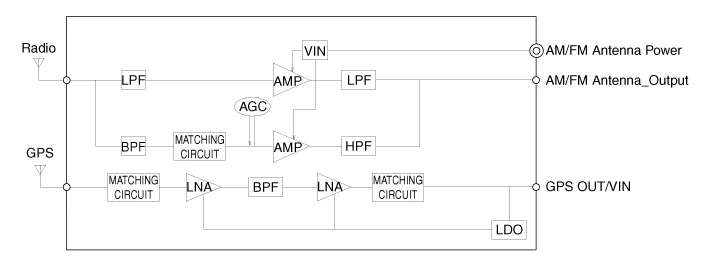
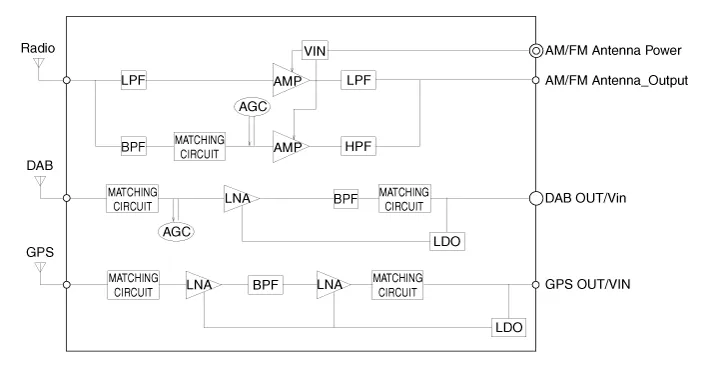
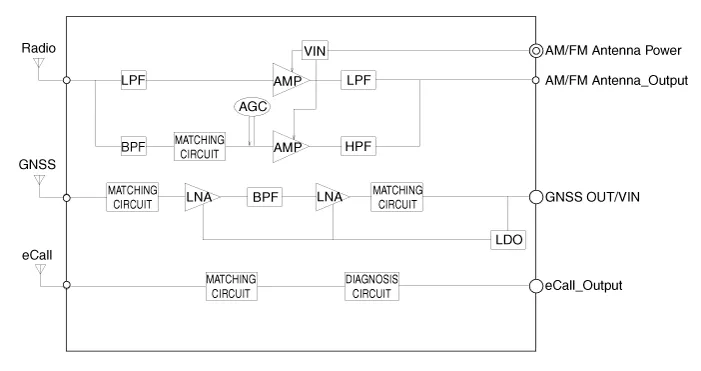
| Circuit Diagram |
[Radio + GPS]
[Radio + GPS + DAB]
[Radio + GNSS + E-Call]
Repair procedures
| Removal |
Roof antenna
| 1. |
Disconnect the negative (-) battery terminal. |
| 2. |
Remove the roof trim assembly. (Refer to Body - "Roof Trim Assembly") |
| 3. |
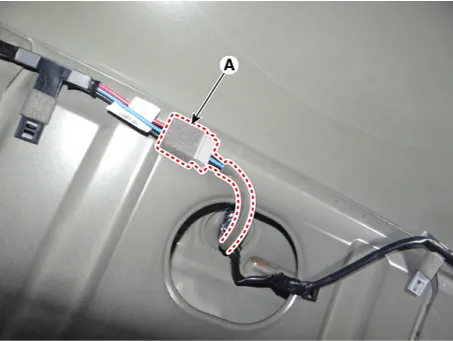
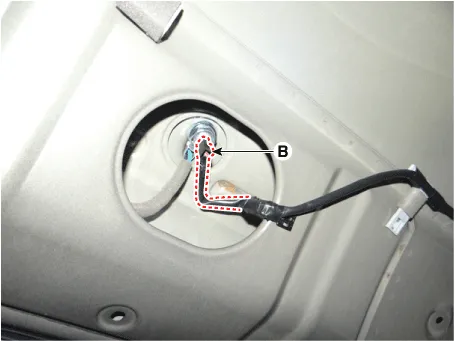
Disconnect the roof antenna main connector (A) and roof antenna power connector (B).
|
| 4. |
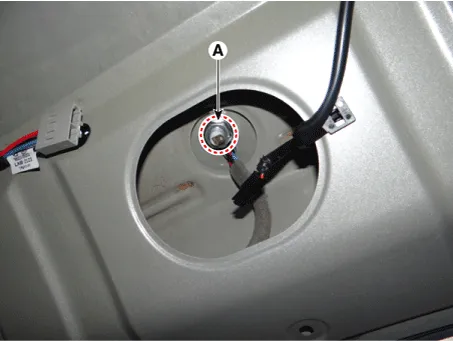
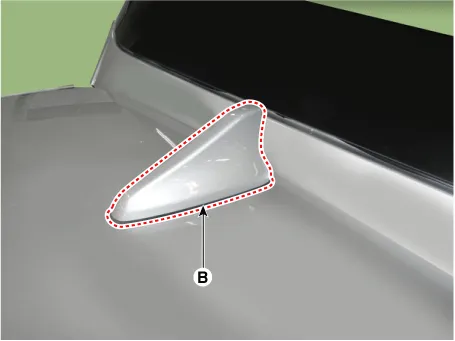
Remove the roof antenna (B) after loosening a nut (A).
|
| Installation |
Roof anenna
| 1. |
Install the roof antenna. |
| 2. |
Connect the roof antenna main connector and roof antenna power connecter. |
| 3. |
Install the roof trim assembly. |
| 4. |
Connect the negative (-) battery terminal.
|

| Inspection |
Antenna Cable
| 1. |
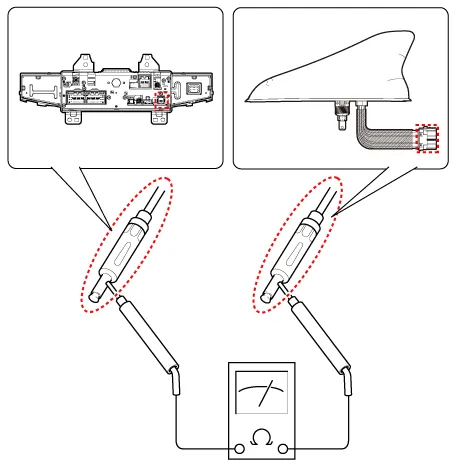
Check for continuity between the center poles of antenna cable.
|
| 2. |
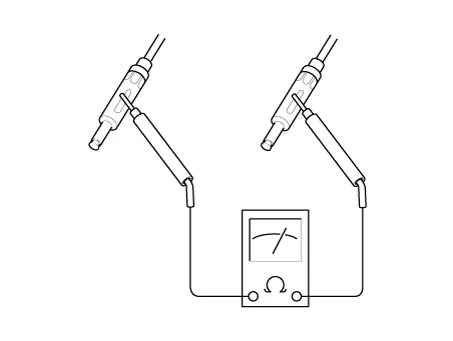
Check for continuity between the outer poles of antenna cable. There should be continuity.
|
| 3. |
If there is no continuity, replace the antenna cable. |
| 4. |
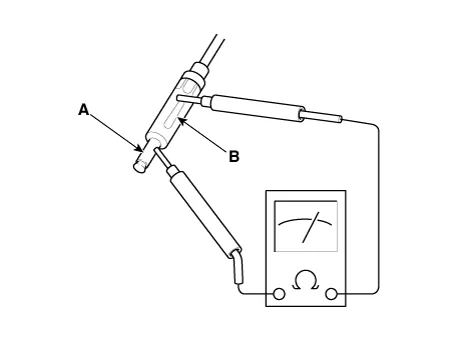
Check for continuity between the center pole (A) and outer pole (B) of antenna cable. There should be no continuity.
|
| 5. |
If there is continuity, replace the antenna cable. |


Other information:
Kia Stinger (CK) 2018-2023 Service Manual: Transmission Oil Temperature Sensor
Specifications Specifications Item Specification Oil temperature sensor Type *NTC thermistor Temp.[(°C)°F] / Resistance (kΩ) (-40)-40 / 139.5 (-20)-4 / 47.4 (0)32 / 18.6 (20)68 / 8.1 (40)104 / 3.Kia Stinger (CK) 2018-2023 Service Manual: Wireless Power Charger (WPC) System
Specification Specifications Item Specification Rated voltage DC 12 V Operating voltage DC 9.0 - 16.0 Operating temperature -86 - 167°F (-30 - 75°C) Dark current Max. 1 mA Output power 5 W Output frequency 110 ± 5 kHz Components and positions Components 1.Categories
- Manuals Home
- Kia Stinger Owners Manual
- Kia Stinger Service Manual
- New on site
- Most important about car
