
Kia Stinger CK: Audio / External AMP
Components and components location
| Components |
| [Mobis] |
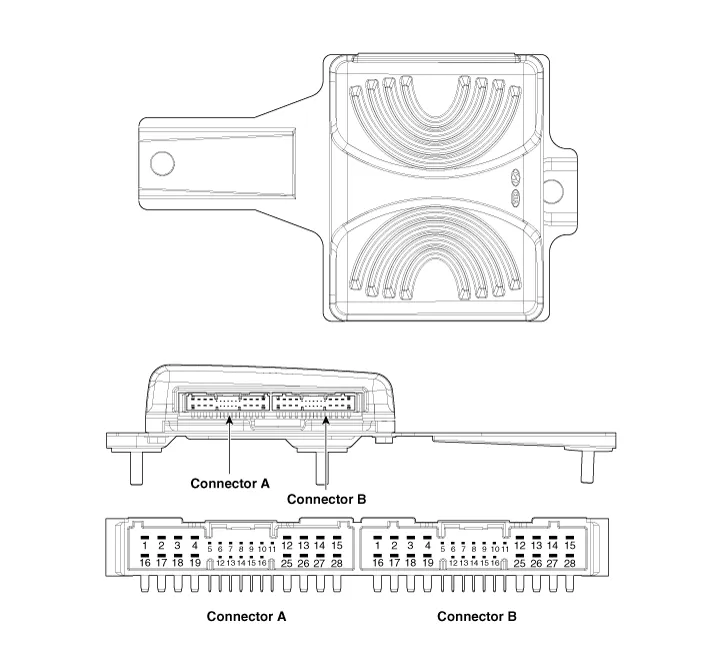
Connector Pin Information
|
No. |
Connector A |
Connector B |
|
1 |
Battery (+) |
Rear door left speaker (+) |
|
2 |
Battery (+) |
Rear door left speaker (-) |
|
3 |
Battery (+) |
Rear door right speaker (+) |
|
4 |
Battery (+) |
Rear door right speaker (-) |
|
5 |
⁻ |
⁻ |
|
6 |
Multimedia-CAN (High) |
⁻ |
|
7 |
Multimedia-CAN (Low) |
⁻ |
|
8 |
ACC |
⁻ |
|
9 |
Navigation voice (+) |
⁻ |
|
10 |
⁻ |
⁻ |
|
11 |
⁻ |
⁻ |
|
12 |
Front door left speaker (+) |
⁻ |
|
13 |
Front door left speaker (-) |
⁻ |
|
14 |
Front door left speaker (+) |
⁻ |
|
15 |
Front door left speaker (-) |
⁻ |
|
16 |
Ground |
Sub woofer speaker 1 (+) |
|
17 |
Ground |
Sub woofer speaker 1 (-) |
|
18 |
Ground |
Sub woofer speaker 2 (+) |
|
19 |
Ground |
Sub woofer speaker 2 (-) |
|
20 |
SPDIF (+) |
⁻ |
|
21 |
SPDIF (-) |
⁻ |
|
22 |
SPDIF (Ground) |
⁻ |
|
23 |
Navigation voice (-) |
⁻ |
|
24 |
IGN1 |
⁻ |
|
25 |
Crash pad center speaker (+) |
⁻ |
|
26 |
Crash pad center speaker (-) |
⁻ |
|
27 |
⁻ |
⁻ |
|
28 |
⁻ |
⁻ |
Repair procedures
| Removal |
| 1. |
Disconnect the negative (-) battery terminal. |
| 2. |
Remove the luggage side trim [RH]. (Refer to Body - "Luggage Side Trim") |
| 3. |
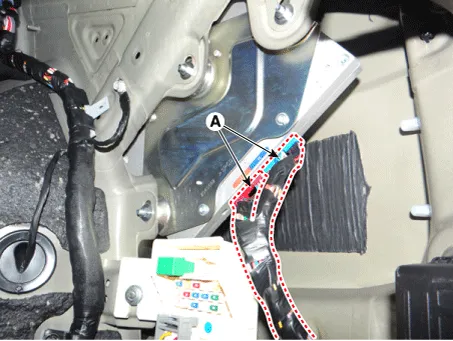
Disconnect the external amplifier connectors (A).
|
| 4. |
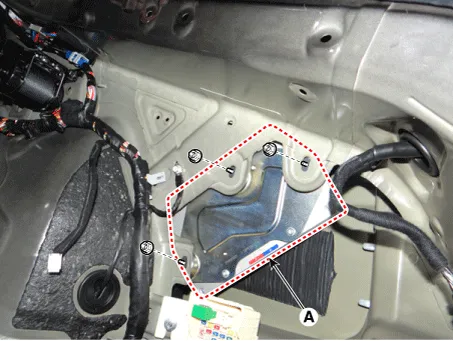
Remove the external amplifier (A) after loosening the mounting nuts.
|
| Installation |
| 1. |
Install the external amplifier after connecting the connectors. |
| 2. |
Install the luggage side trim [RH]. |
| 3. |
Connect the negative (-) battery terminal.
|

| Inspection |
|
| 1. |
In the body electrical system, failure can be quickly diagnosed by using the vehicle diagnostic system (KDS). The diagnostic system (KDS) provides the following information.
|
| 2. |
Select the 'Car model' and the system to be checked in order to check the vehicle with the tester. |
| 3. |
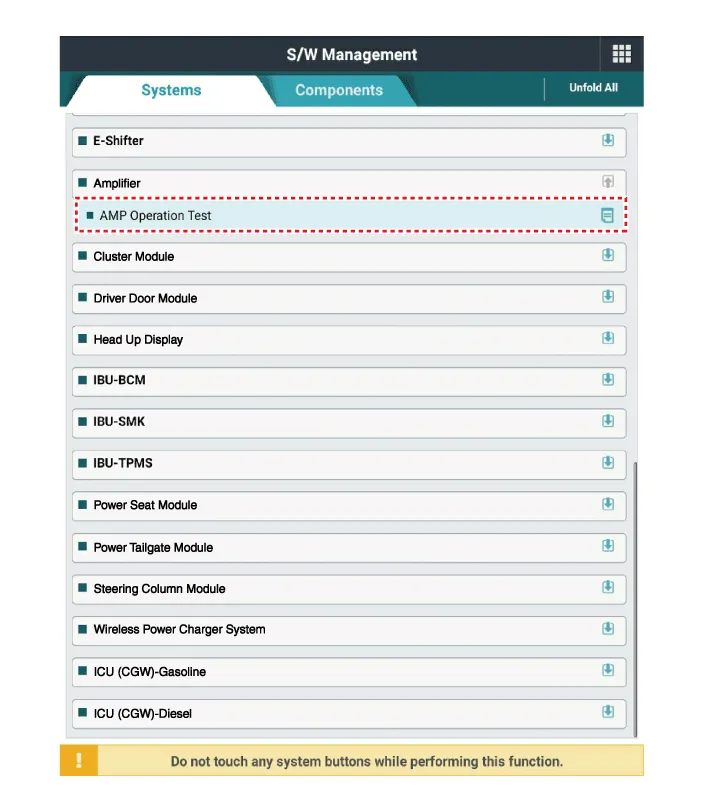
Select the 'Amplifier' to check the Audio. |
| 4. |
Select the 'Current data" menu to search the current state of the input/output data. The input/output data for the sensors corresponding to the Audio can be checked.
|
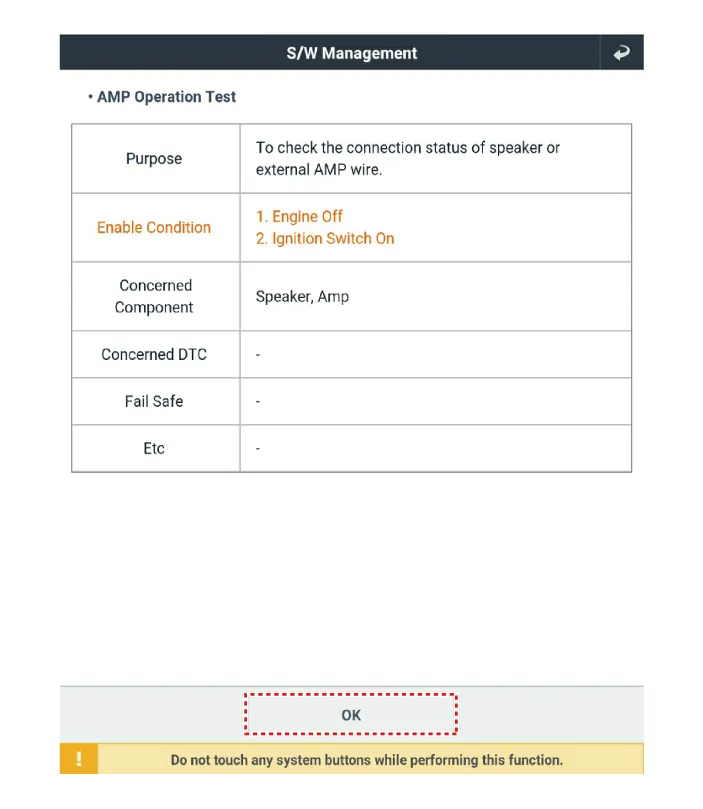
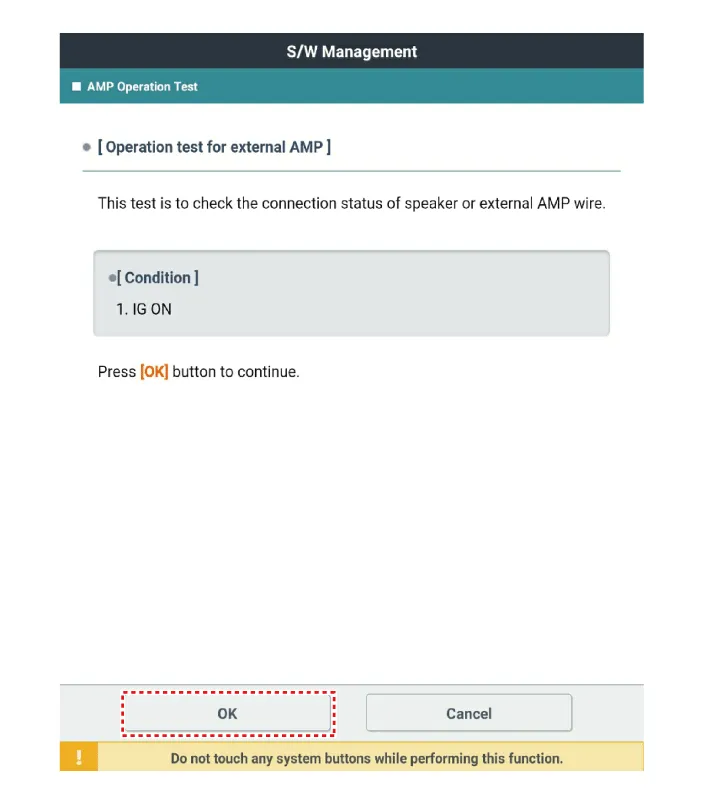

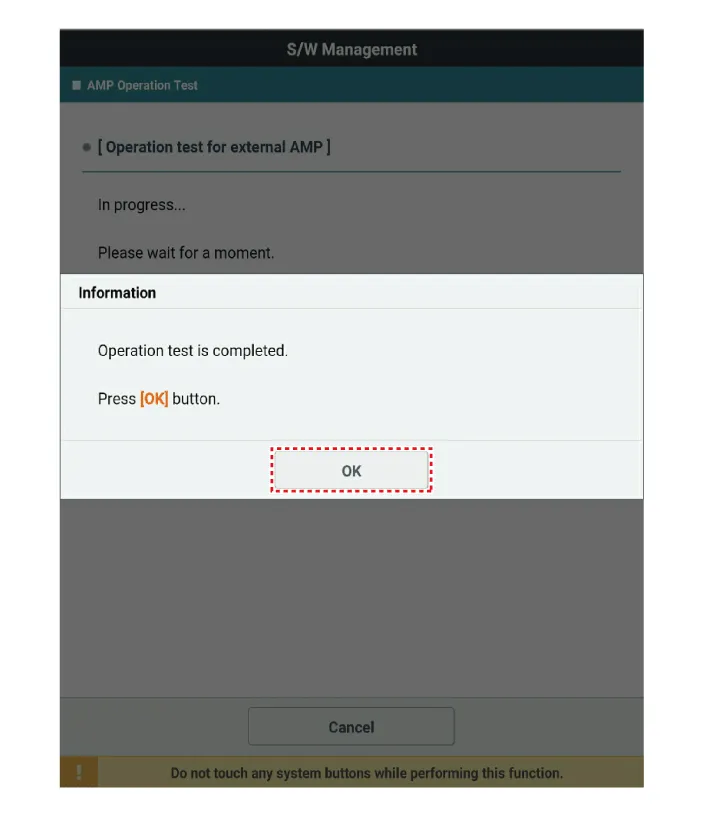


Other information:
Kia Stinger (CK) 2018-2023 Service Manual: Exhaust Emission Control System
Description and operation Description Exhaust emissions (CO, HC, NOx) are controlled by a combination of engine modifications and the addition of special control components. Modifications to the combustion chamber, intake manifold, camshaft and ignition system form the basic control system. These items have been integrated into a highly effective system which controls exhaust emissions while maintaining good drivability and fuel economy.Kia Stinger (CK) 2018-2023 Service Manual: Electric Power Steering
Description and operation Description EPS (Electric power steering, Column assist type) system is an engine operation independent steering system that uses an electric motor to assist the steering force. EPS control module controls the motor operation based on input signals from torque sensor and steering angle sensor via CAN (Controller Area Network), resulting in a more precise and timely control of steering assist thatn conventional engine-driven hydraulic systems.Categories
- Manuals Home
- Kia Stinger Owners Manual
- Kia Stinger Service Manual
- New on site
- Most important about car
