
Kia Stinger CK: ESP(Electronic Stability Program) System / Front Wheel Speed Sensor
Repair procedures
| Removal |
| [2WD] |
| 1. |
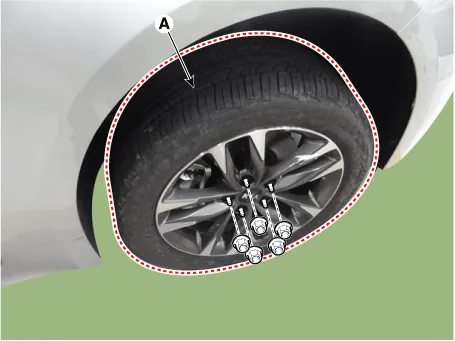
Remove wheel nuts, wheel and tire (A) from front hub.
|

| 2. |
Disconnect the front wheel speed sensor connector from the front axle.
|

| 3. |
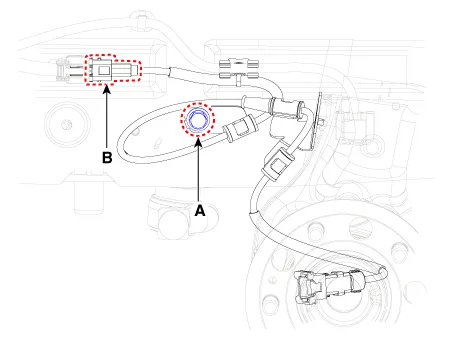
Loosen the wheel speed sensor bracket bolt (A), and then disconnect the wheel speed sensor connector (B).
|
| 4. |
Install in the reverse order of removal. |
| [AWD] |
| 1. |
Remove wheel nuts, wheel and tire (A) from front hub.
|
| 2. |
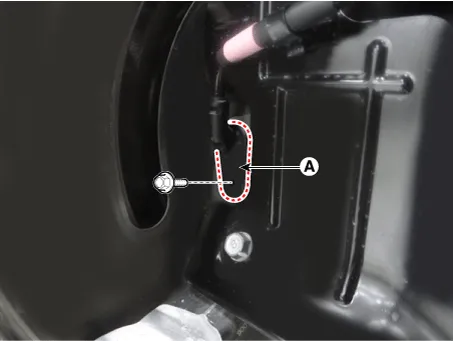
Loosen the wheel speed sensor bolt and then remove the wheel speed sensor (A).
|
| 3. |
Remove the wheel speed sensor bracket.
|
| 4. |
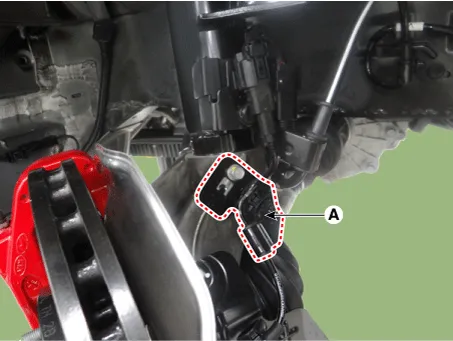
Disconnect the ECS connector (A) and then remove the bracket.
|
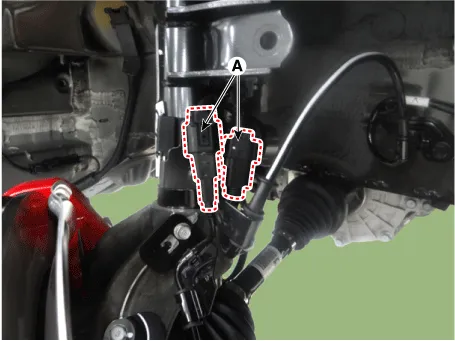
| 5. |
Remove the bracket (A) and the remove the connector (B).
|
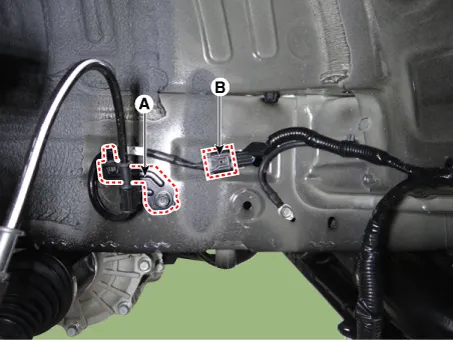
| 6. |
Install in the reverse order of removal. |
| Inspection |
| 1. |
Measure the output voltage between the terminal of the wheel speed sensor and the body ground.
|
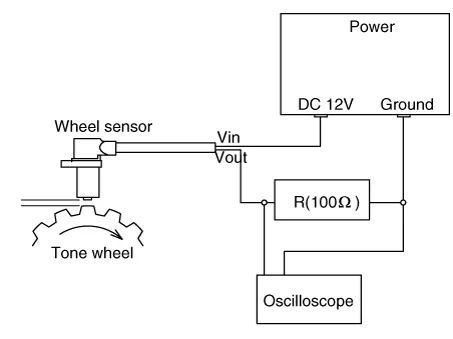
| 2. |
Compare the change of the output voltage of the wheel speed sensor to the normal change of the output voltage as shown below.
|
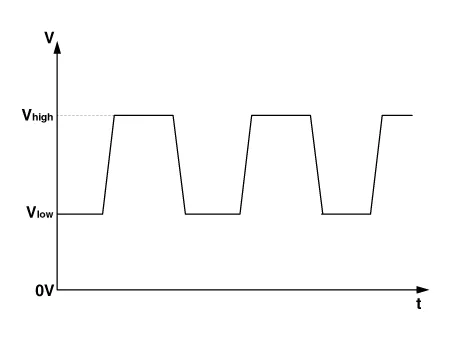


Other information:
Kia Stinger (CK) 2018-2023 Service Manual: Parking Brake & Brake Fluid Warning Light
This warning light illuminates: Once you set the Engine Start/Stop Button to the ON position. - It illuminates for approximately 3 seconds When the parking brake is applied, the warning light will remain on. When the brake fluid level in the reservoir is low. - If the warning light illuminates with the parking brake released, it indicates the brake fluid level in reservoir is low.Kia Stinger (CK) 2018-2023 Service Manual: To keep locks from freezing
To keep the locks from freezing, squirt an approved de-icer fluid or glycerine into the key opening. If a lock is covered with ice, squirt it with an approved de-icing fluid to remove the ice. If the lock is frozen internally, you may be able to thaw it out by using a heated key. Handle the heated key with care to avoid injury. Use approved window washer anti-freeze in system To keep the water in the window washer system from freezing, add an approved window washer anti-freeze solution in accordance with instructions on the container.Categories
- Manuals Home
- Kia Stinger Owners Manual
- Kia Stinger Service Manual
- New on site
- Most important about car
