
Kia Stinger CK: AVN System / External AMP
Components and components location
| Components |
| [Mobis] |
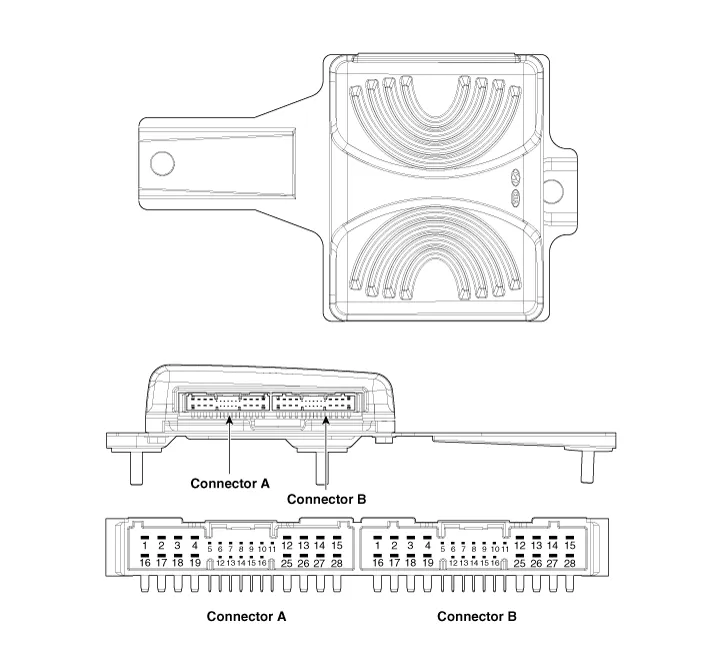
Connector Pin Information
|
No. |
Connector A |
Connector B |
|
1 |
Battery (+) |
Rear door left speaker (+) |
|
2 |
Battery (+) |
Rear door left speaker (-) |
|
3 |
Battery (+) |
Rear door right speaker (+) |
|
4 |
Battery (+) |
Rear door right speaker (-) |
|
5 |
- |
Reserved |
|
6 |
Multimedia-CAN (High) |
- |
|
7 |
Multimedia-CAN (Low) |
- |
|
8 |
ACC |
- |
|
9 |
Amplifier navigation voice (+) |
- |
|
10 |
- |
- |
|
11 |
- |
- |
|
12 |
Front door left speaker (+) |
- |
|
13 |
Front door left speaker (-) |
- |
|
14 |
Front door right speaker (+) |
- |
|
15 |
Front door left speaker (-) |
- |
|
16 |
Ground |
Subwoofer speaker 1 (+) |
|
17 |
Ground |
Subwoofer speaker 1 (-) |
|
18 |
Ground |
Subwoofer speaker 2 (+) |
|
19 |
Ground |
Subwoofer speaker 2 (-) |
|
20 |
Amplifier SPDIF (High) |
- |
|
21 |
Amplifier SPDIF (Low) |
- |
|
22 |
Amplifier SPDIF (Ground) |
- |
|
23 |
Amplifier navigation voice (-) |
- |
|
24 |
IGN1 |
- |
|
25 |
Front center speaker (+) |
- |
|
26 |
Front center speaker (-) |
- |
|
27 |
- |
- |
|
28 |
- |
- |
| [Harman] |
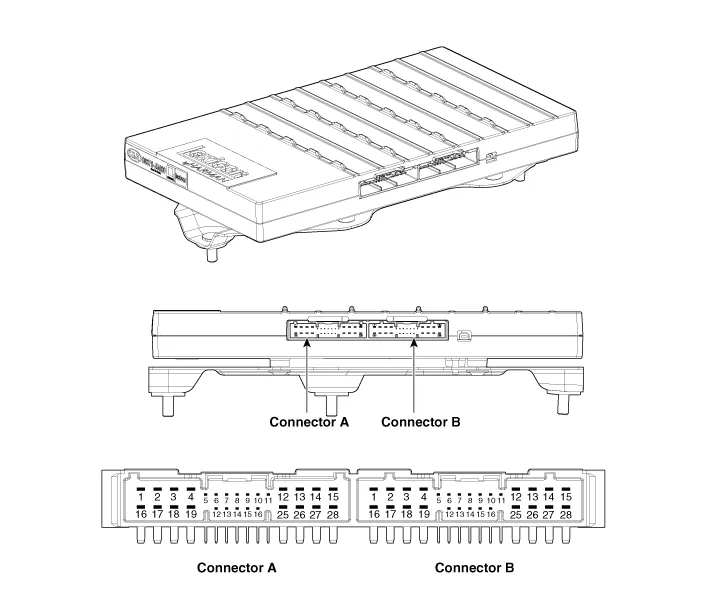
|
No. |
Connector A |
Connector B |
|
1 |
Battery (+) |
Subwoofer speaker 2 (+) |
|
2 |
Battery (+) |
Subwoofer speaker 1 (+) |
|
3 |
Battery (+) |
Front door right speaker (+) |
|
4 |
Battery (+) |
Front door left speaker (+) |
|
5 |
- |
- |
|
6 |
Multimedia-CAN (High) |
- |
|
7 |
Multimedia-CAN (Low) |
- |
|
8 |
ACC |
- |
|
9 |
Amplifier navigation voice (+) |
- |
|
10 |
- |
- |
|
11 |
- |
- |
|
12 |
- |
Rear door right speaker (+) |
|
13 |
Front door center speaker (+) |
Rear door left speaker (+) |
|
14 |
Front door right tweeter speaker (+) |
Surround right speaker (+) |
|
15 |
Front door left tweeter speaker (+) |
Surround left speaker (+) |
|
16 |
Ground |
Subwoofer speaker 2 (-) |
|
17 |
Ground |
Subwoofer speaker 1 (-) |
|
18 |
Ground |
Front door right speaker (-) |
|
19 |
Ground |
Front door left speaker (-) |
|
20 |
Amplifier SPDIF (High) |
- |
|
21 |
Amplifier SPDIF (Low) |
- |
|
22 |
Amplifier SPDIF (Ground) |
- |
|
23 |
Amplifier navigation voice (-) |
- |
|
24 |
IGN1 |
- |
|
25 |
- |
Rear door right speaker (-) |
|
26 |
Front door center speaker (-) |
Rear door left speaker (-) |
|
27 |
Front door right tweeter speaker (-) |
Surround right speaker (-) |
|
28 |
Front door left tweeter speaker (-) |
Surround left speaker (-) |
Repair procedures
| Removal |
| 1. |
Disconnect the negative (-) battery terminal. |
| 2. |
Remove the luggage side trim [RH]. (Refer to Body - "Luggage Side Trim") |
| 3. |
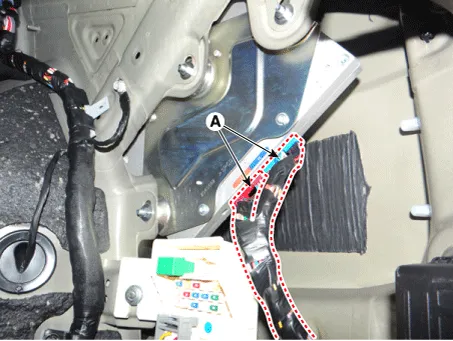
Disconnect the external amplifier connectors (A).
|
| 4. |
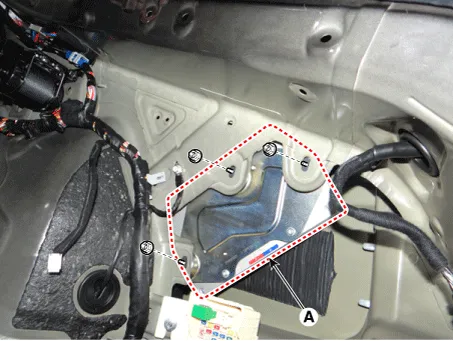
Remove the external amplifier (A) after loosening the mounting nuts.
|
| Installation |
| 1. |
Install the external amplifier after connecting the connectors. |
| 2. |
Install the luggage side trim [RH]. |
| 3. |
Connect the negative (-) battery terminal.
|

| Inspection |
|
| 1. |
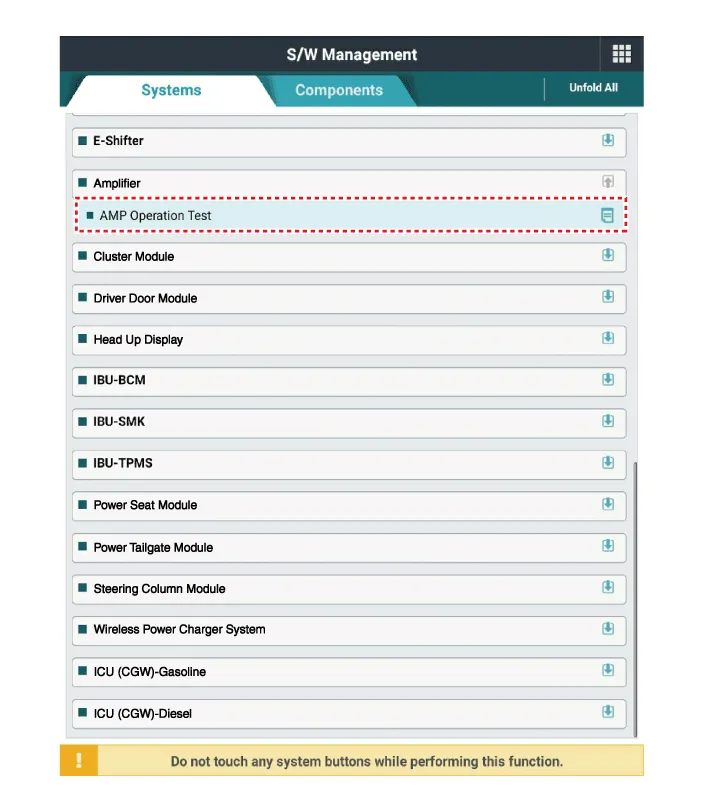
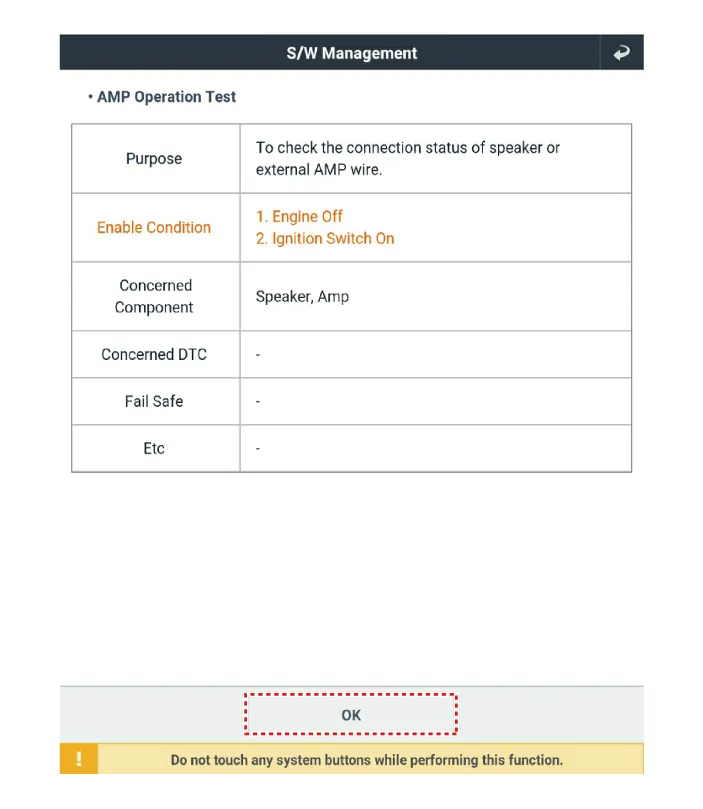
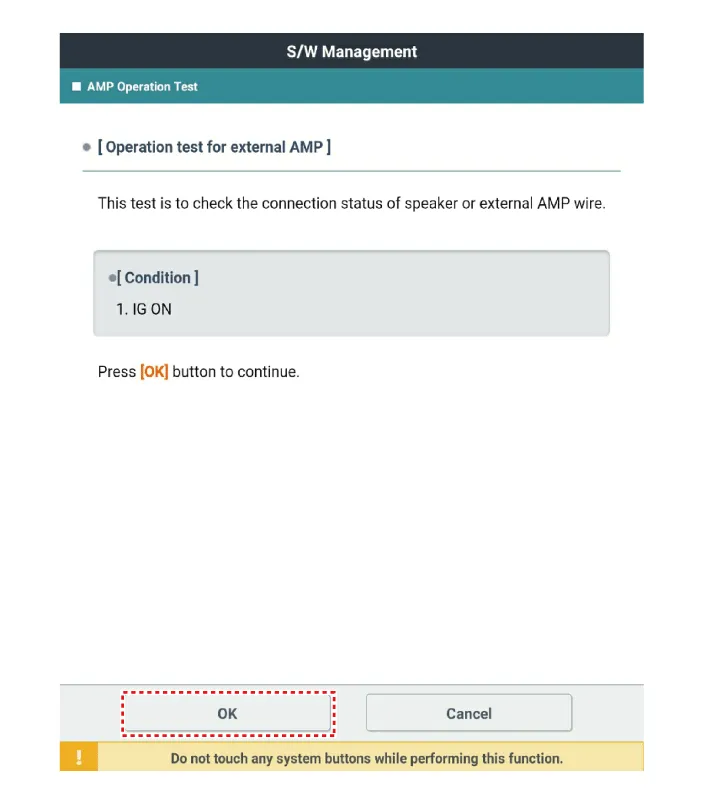
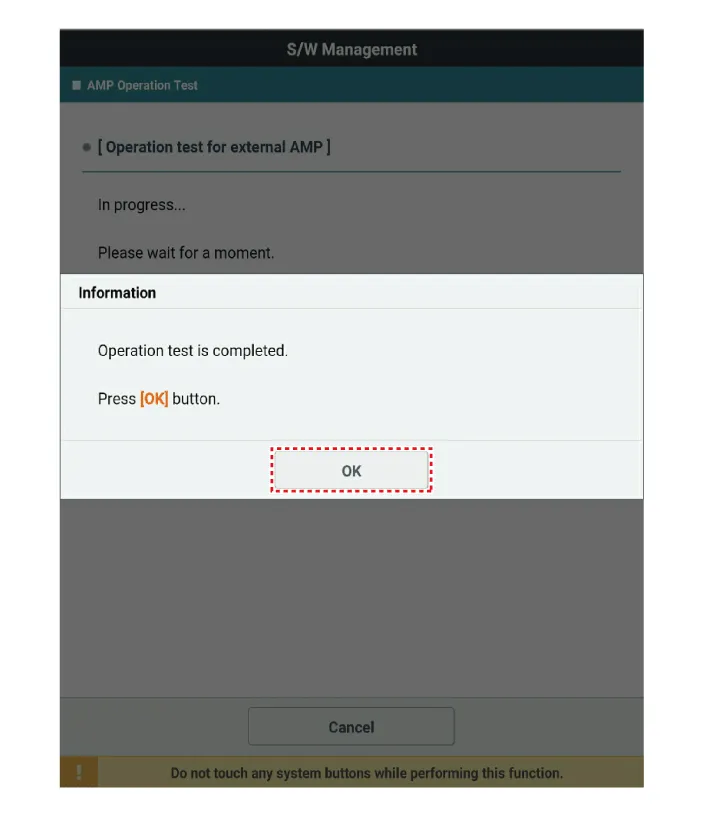
In the body electrical system, failure can be quickly diagnosed by using the vehicle diagnostic system (KDS).
|
| 2. |
Select the 'Car model' and the system to be checked in order to check the vehicle with the tester. |
| 3. |
Select the 'Amplifier' to check the AVN. |
| 4. |
Select the 'Current data" menu to search the current state of the input/output data. The input/output data for the sensors corresponding to the Amplifier can be checked.
|



Other information:
Kia Stinger (CK) 2018-2023 Service Manual: Brake switch
Components and components location Components 1. Brake switch 2. Brake pedal Schematic diagrams Terminal function Pin No Description 1 IGN1 2 IBU 3 - 4 B+ 5 Stop lmap 6 Ground Troubleshooting Troubleshooting 1.Kia Stinger (CK) 2018-2023 Service Manual: Driver’s attention
The driver must be cautious in the following situations because the system is limited when recognition of the lane marker is poor or limited: ►When lane and road condition is poor - It is difficult to distinguish the lane marker from road when the lane marker is covered with dust or sand. - It is difficult to distinguish the color of the lane marker from road.Categories
- Manuals Home
- Kia Stinger Owners Manual
- Kia Stinger Service Manual
- New on site
- Most important about car
