
Kia Stinger CK: Lighting System / Rheostat
Components and components location
| Components |
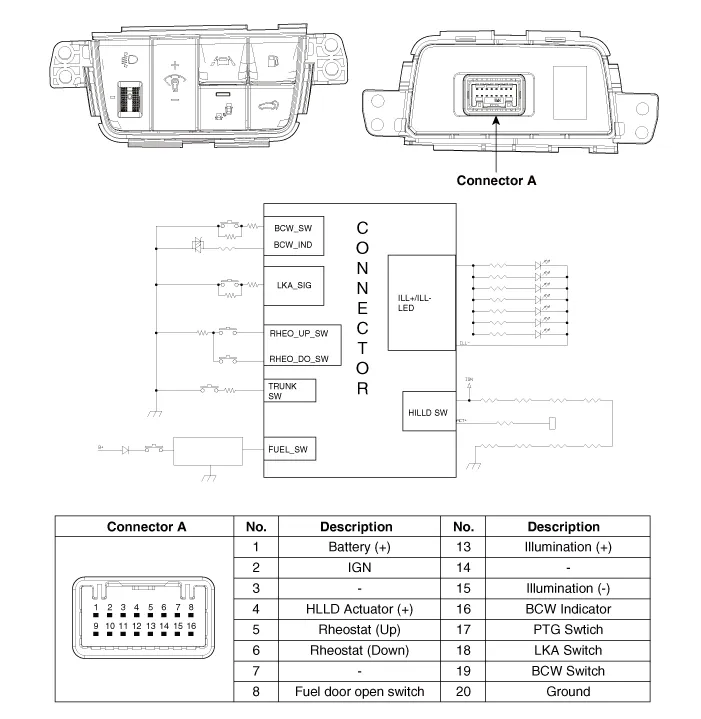
Repair procedures
| Removal |
| 1. |
Disconnect the negative (-) battery terminal. |
| 2. |
Remove the crash pad lower panel. (Refer to Body - "Crash Pad Lower Panel") |
| 3. |
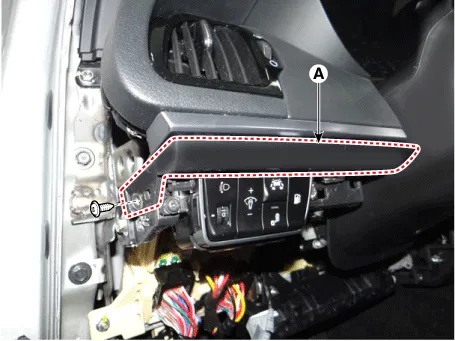
Remove the crash pad garnish [LH] (A) after loosening the mounting screw.
|
| 4. |
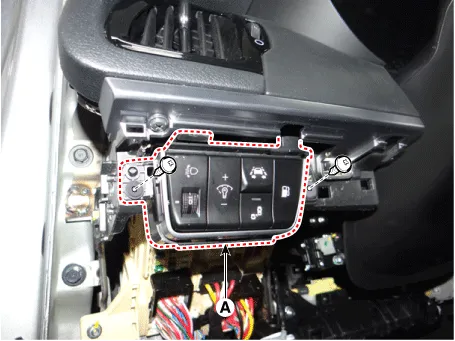
Remove the side crash pad switch (A) after loosening the mounting screws.
|
| 5. |
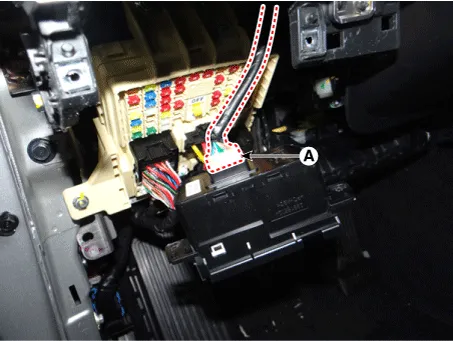
Disconnect the side crash pad switch connector (A).
|
| Installation |
| 1. |
Connect the side crash pad switch connector. |
| 2. |
Install the side crash pad switch. |
| 3. |
Install the crash pad garnish [LH]. |
| 4. |
Install the crash pad lower panel. |
| 5. |
Connect the negative (-) battery terminal. |
| Inspection |
| 1. |
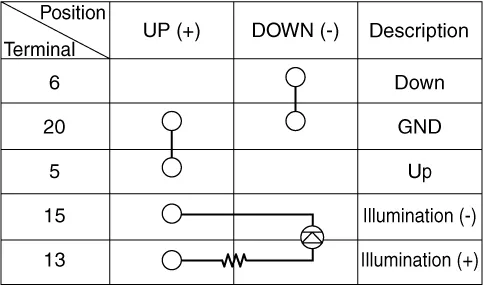
Check for intensity of new rheostat switch. If the light intensity of the lamps changes smoothly without any flickering when the rheostat is turned, it can be assumed that the rheostat is normal.
|



Other information:
Kia Stinger (CK) 2018-2023 Service Manual: Smart cruise control with stop & go system
➀ Cruise indicator ➁ Set speed ➂ Vehicle-to-vehicle distance The smart cruise control system allows you to program the vehicle to maintain a constant speed and a predetermined distance to the vehicle ahead without depressing the accelerator or brake pedal. WARNING - Smart cruise control system Inadvertent Activation If the smart cruise control system is left on (CRUISE indicator in the instrument cluster illuminated), it can be activated inadvertently.Kia Stinger (CK) 2018-2023 Service Manual: Emergency Call (eCall) Unit
Components and components location Component The eCall unit for AVN is equipped in AVN head unit. Repair procedures Removal Carry out the Test Mode after: – Replacing the eCall unit – Replacing the Back-up Battery (BUB) – Replacing the eCall speaker and MIC – Replacing the eCall antenna and roof antenna • Be careful not to scratch the cluster fascia panel and related parts.Categories
- Manuals Home
- Kia Stinger Owners Manual
- Kia Stinger Service Manual
- New on site
- Most important about car
